Launch offer: 80% off your first year for the first 10 clinics.Book a demo

Dental clinic software · Arabic & English

Built by a dentist, for dentists.

Record each treatment once. DentaCares updates your stock, profit, commissions, insurance claims and accounts for you.

  • See the real profit on every treatment
  • Get warned before lab work arrives late
  • Allergy alerts on every patient file
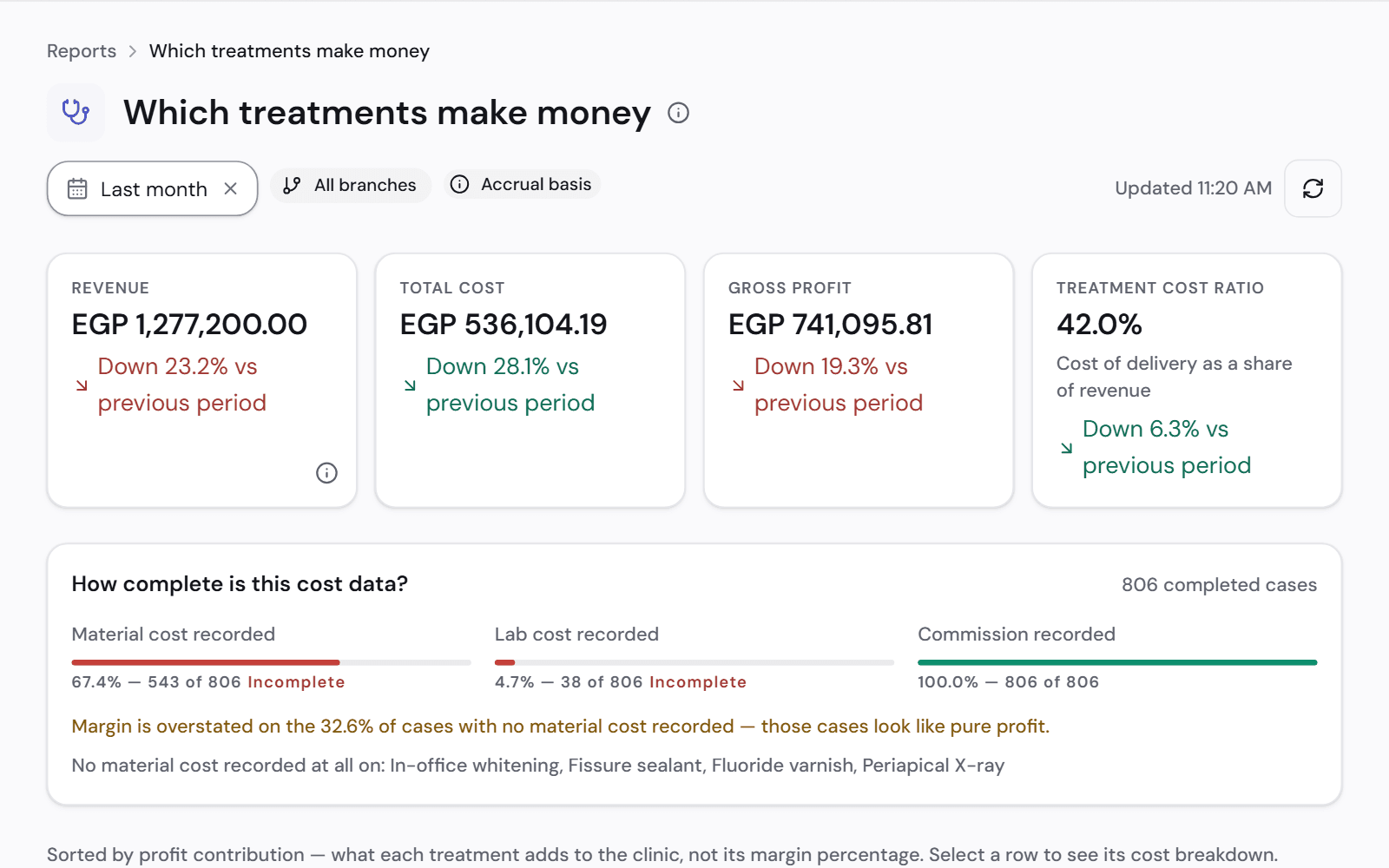
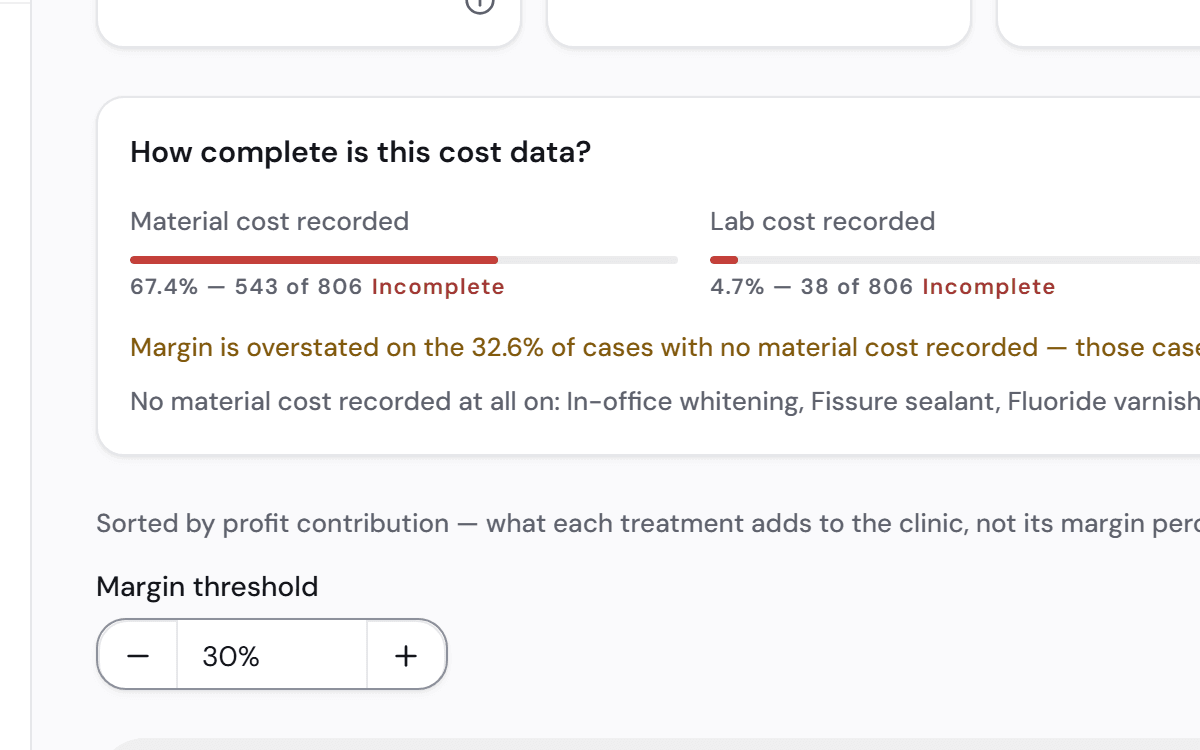
DentaCares' treatment profitability report: each procedure's revenue, material and lab cost and margin, under a panel stating how complete the cost data is.

The problem

Four ways a clinic loses money without noticing.

And how DentaCares stops each one.

  • Profit you can't see

    “I know what came in this month. I don't know what I kept.”

    With DentaCares: See the profit on every treatment, after materials and lab costs.

  • Lab work that arrives late

    “The patient came for the fitting and the crown wasn't back.”

    With DentaCares: Get a warning when lab work will arrive after the patient's appointment.

  • Unpaid balances

    “He still owed half, and nobody at the front desk knew.”

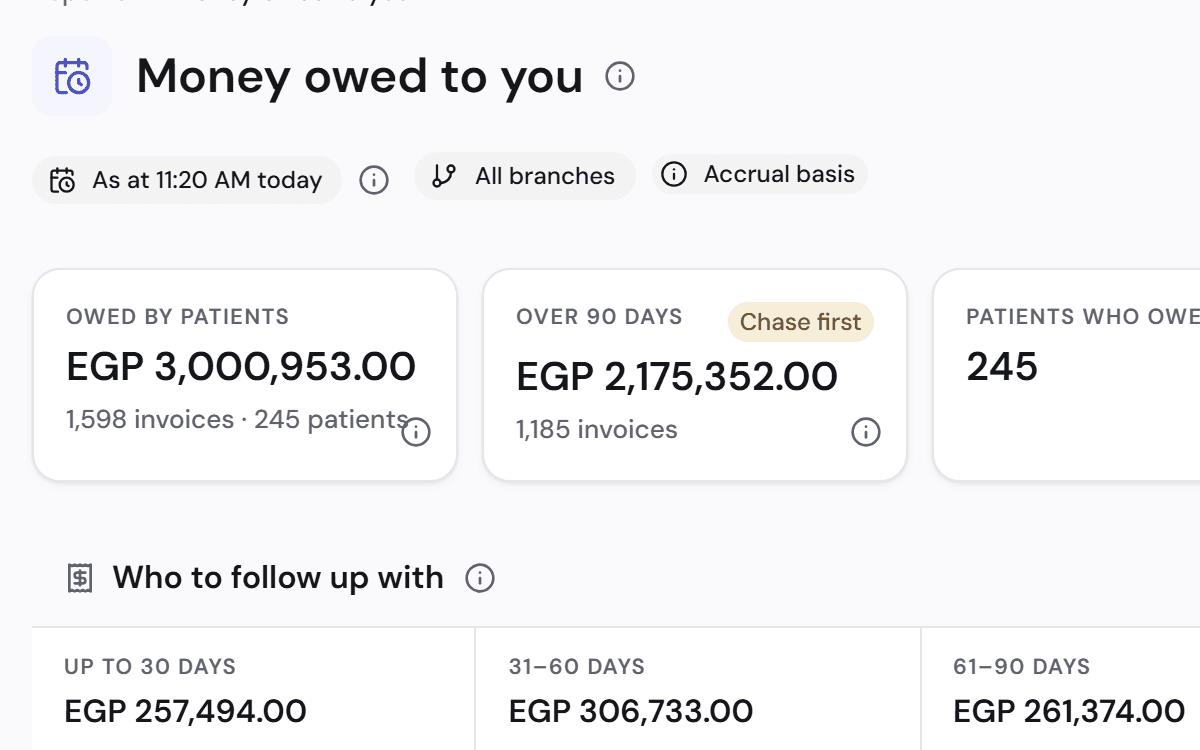
    With DentaCares: See what each patient owes on their file, and everyone who owes you in one report.

  • Payroll by hand

    “Every month I work out each dentist's percentage in a spreadsheet.”

    With DentaCares: Salaries and commissions are calculated for you.

How it works

Follow one patient through one visit.

From the booking to your accounts. Nothing is typed twice.

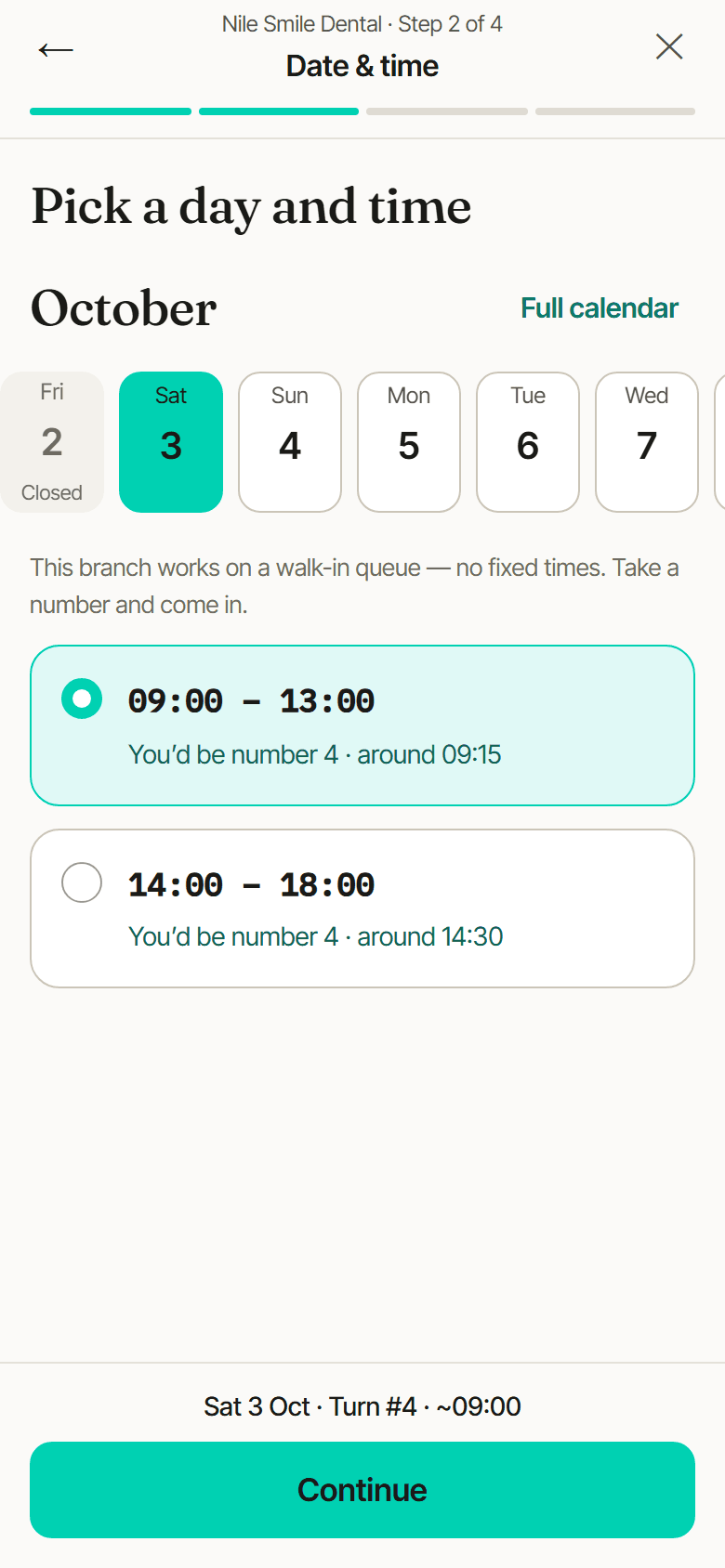
A clinic's booking page on a phone: pick a day, a notice that this branch works by turn with no fixed times, and two shifts each showing the patient's turn number and estimated time.

Step 1 of 7 · Booking

The patient books from their phone.

Your clinic gets its own booking page (booking.dentacares.com/your-clinic, or your own domain), in Arabic and English. The patient picks a branch, then a time or a turn in the queue.

This branch works on a walk-in queue — no fixed times. Take a number and come in.

  1. Your clinic's name, not ours
  2. Works with turns or fixed times
  3. The patient sees the turn number and time before confirming
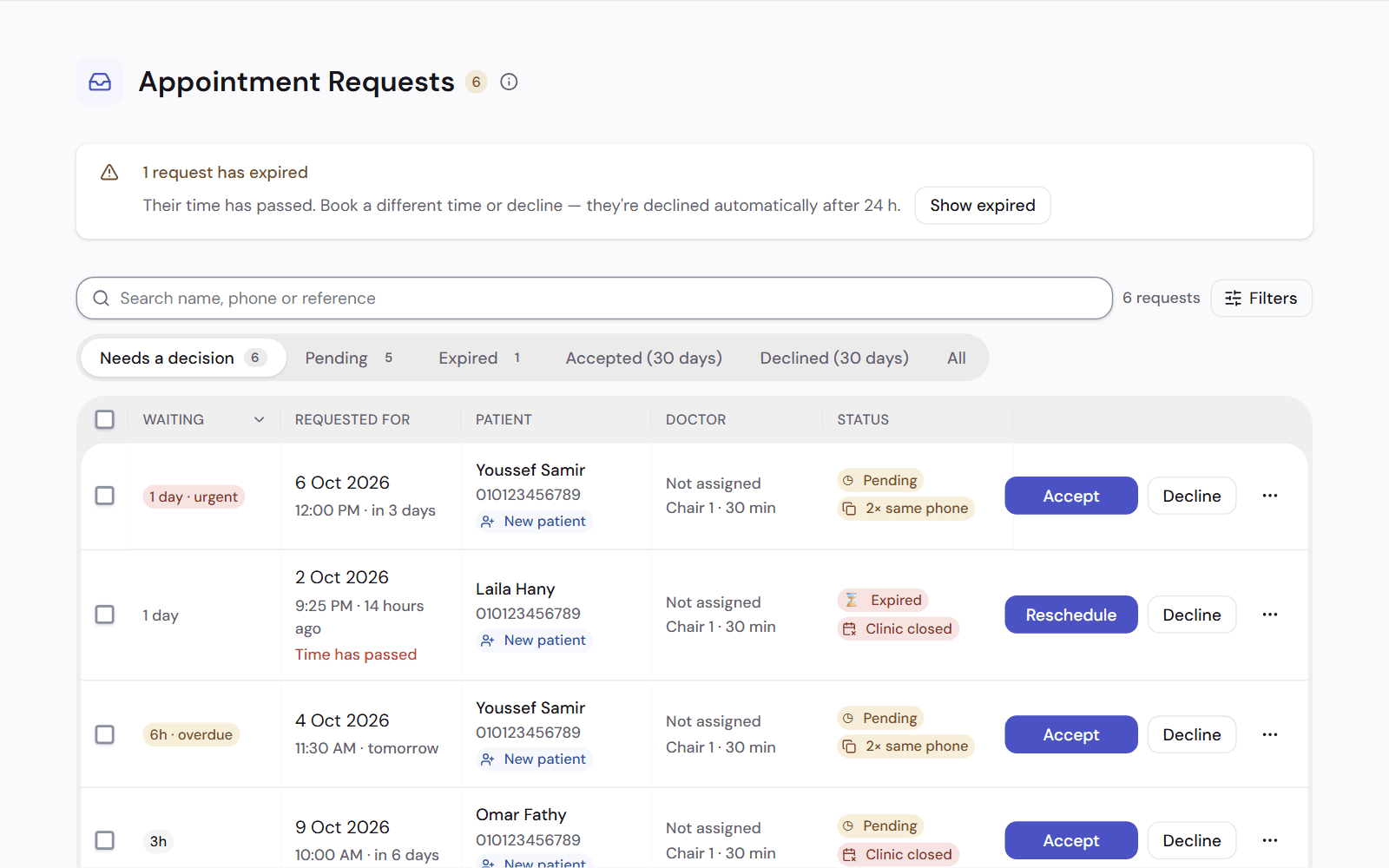
The appointment requests page: six online bookings waiting for a decision, a notice about requests that are out of time or nearly so, tabs for each status, and a table of requests, each with Accept and Decline buttons.

Step 2 of 7 · Request

The front desk accepts the request.

Online requests wait until someone accepts them, so nothing is booked without you knowing. Once accepted, the visit goes on the calendar with a room and a dentist.

  1. Nothing is booked automatically
  2. Requests that have waited too long are flagged at the top
  3. Accept or decline each one
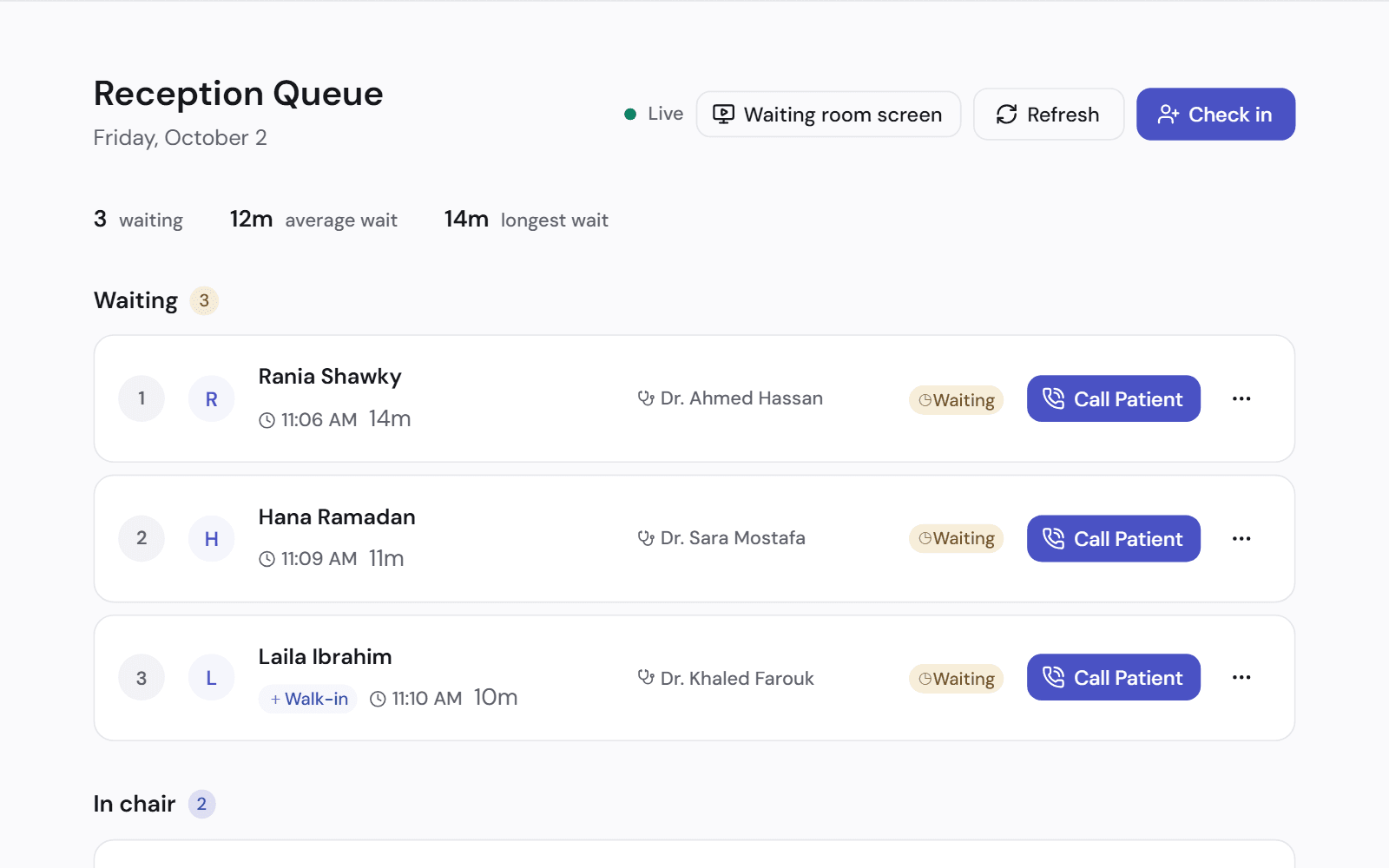
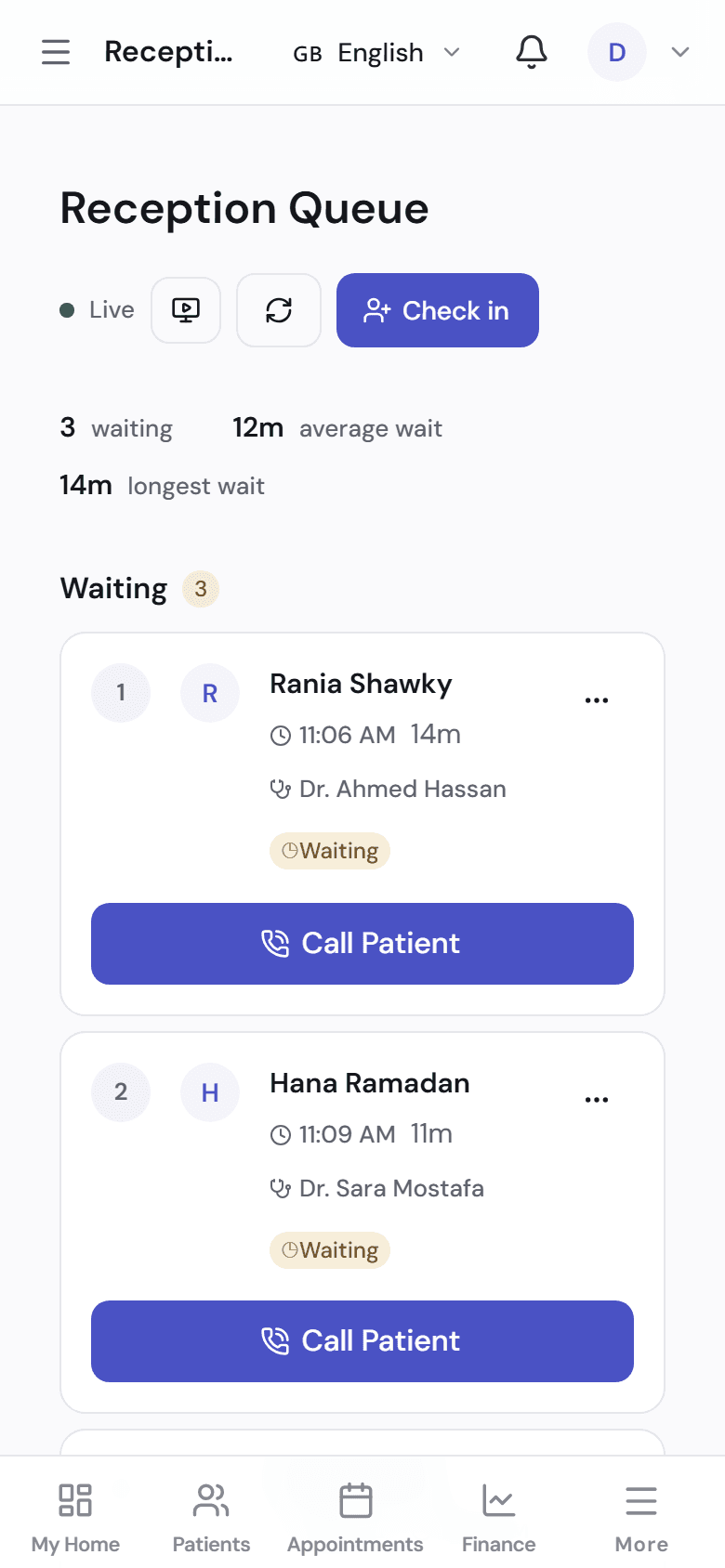
The reception queue at 11:20: three patients waiting with their arrival times and minutes waited, one of them a walk-in, each with a Call Patient button.

Step 3 of 7 · Arrival

Reception checks the patient in.

One click moves the patient to the dentist's queue, and onto the waiting-room screen if you use one.

  1. See who is waiting, and for how long
  2. One click sends the patient to the dentist
  3. Walk-ins join the same queue

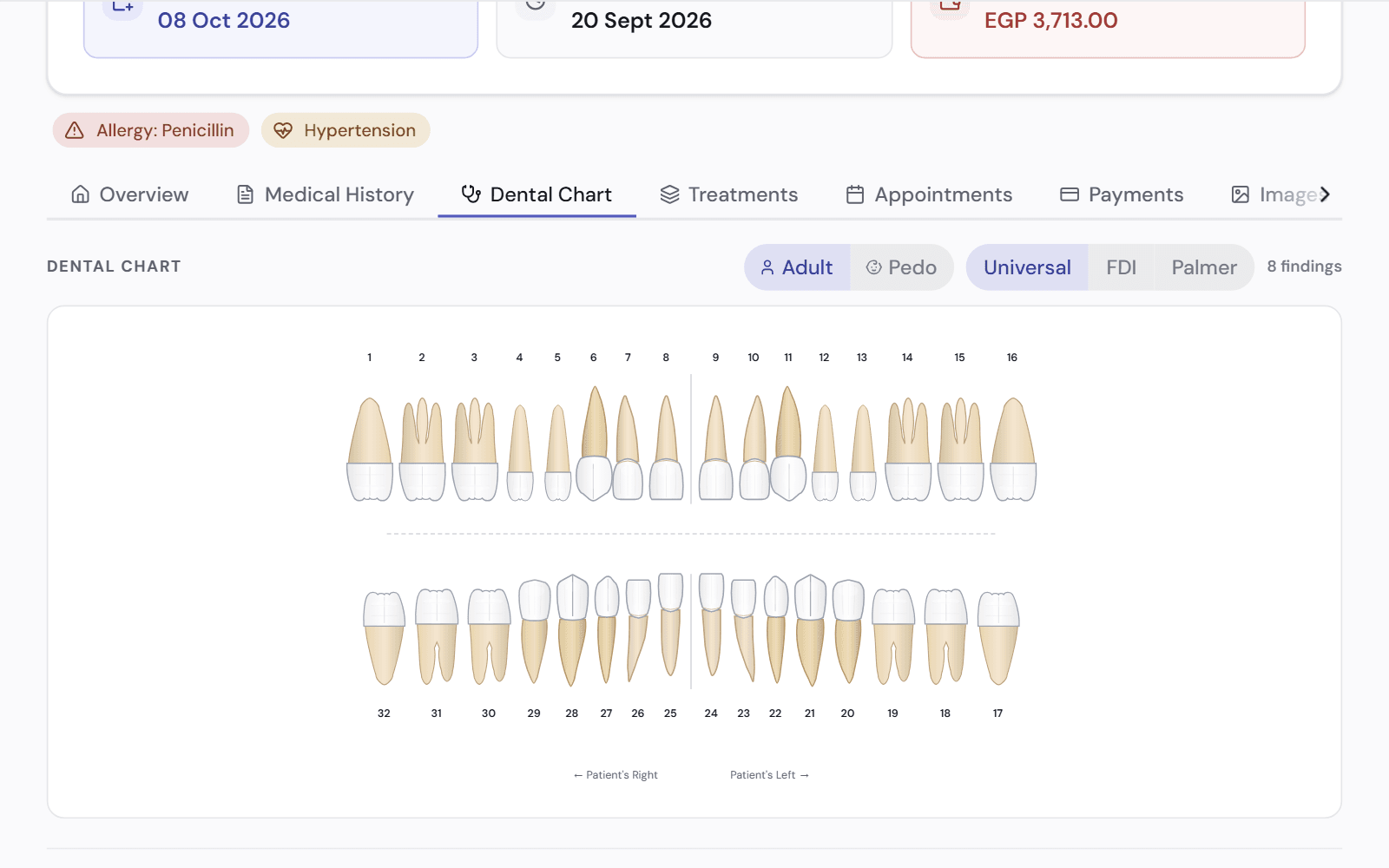
Step 4 of 7 · Chair

The dentist records the treatment on the tooth.

The chart, the procedure and the patient's allergies are on one screen. The materials used come out of stock automatically.

This is the only time anyone types it. Everything after this updates by itself.

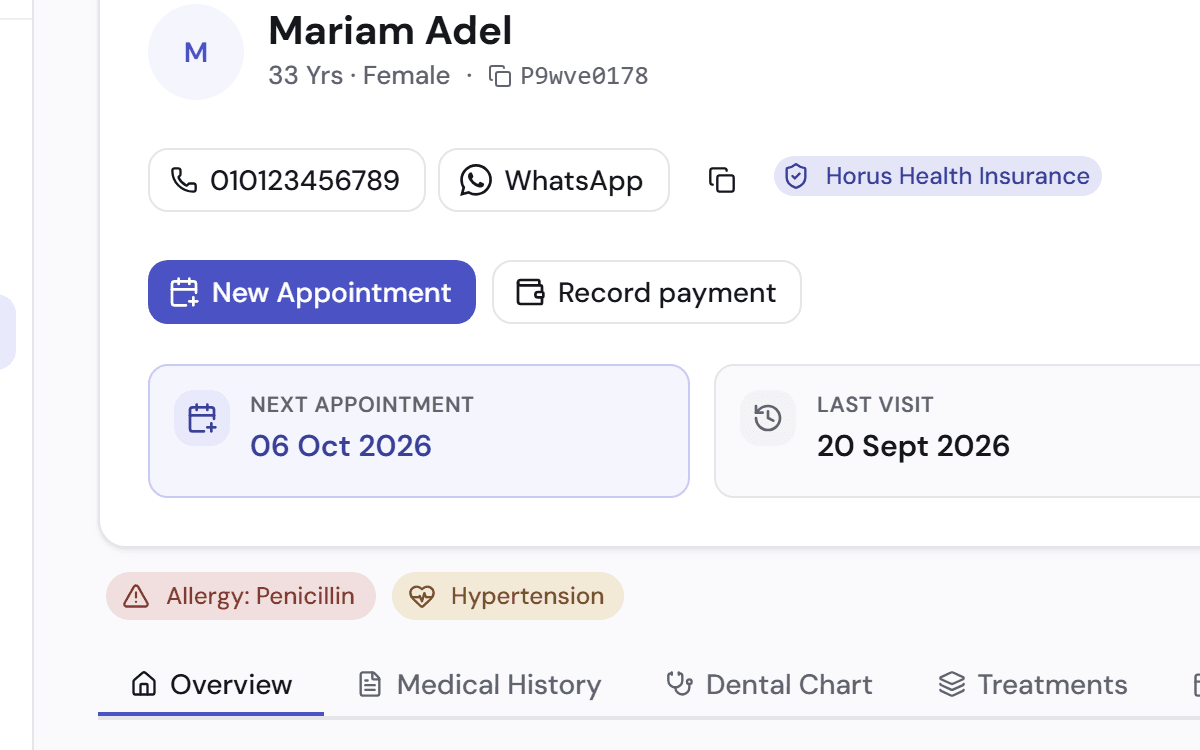
  1. Allergy and medical alerts at the top
  2. Findings and procedures on each tooth
  3. FDI, Universal or Palmer numbering
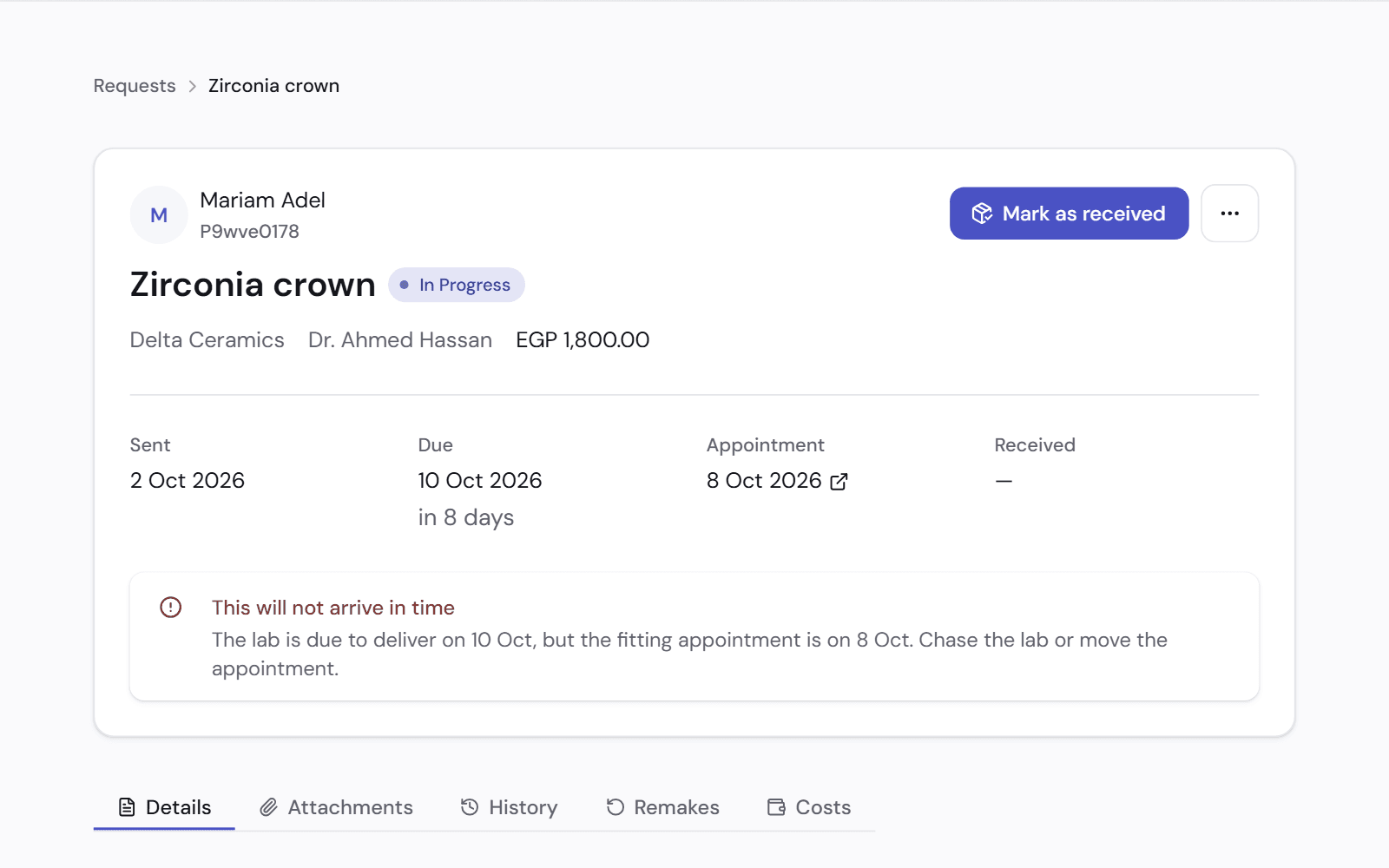
A zirconia crown lab case: due two days after the fitting appointment, above a warning that reads This will not arrive in time — chase the lab or move the appointment.

Step 5 of 7 · Lab

The lab case is checked against the patient's next appointment.

The lab case is created from the procedure, with the tooth and the shade. If the lab will deliver after the patient's fitting appointment, you are warned now, not on the day.

This will not arrive in time

  1. Lab due date compared with the fitting date
  2. Chase the lab, or move the appointment
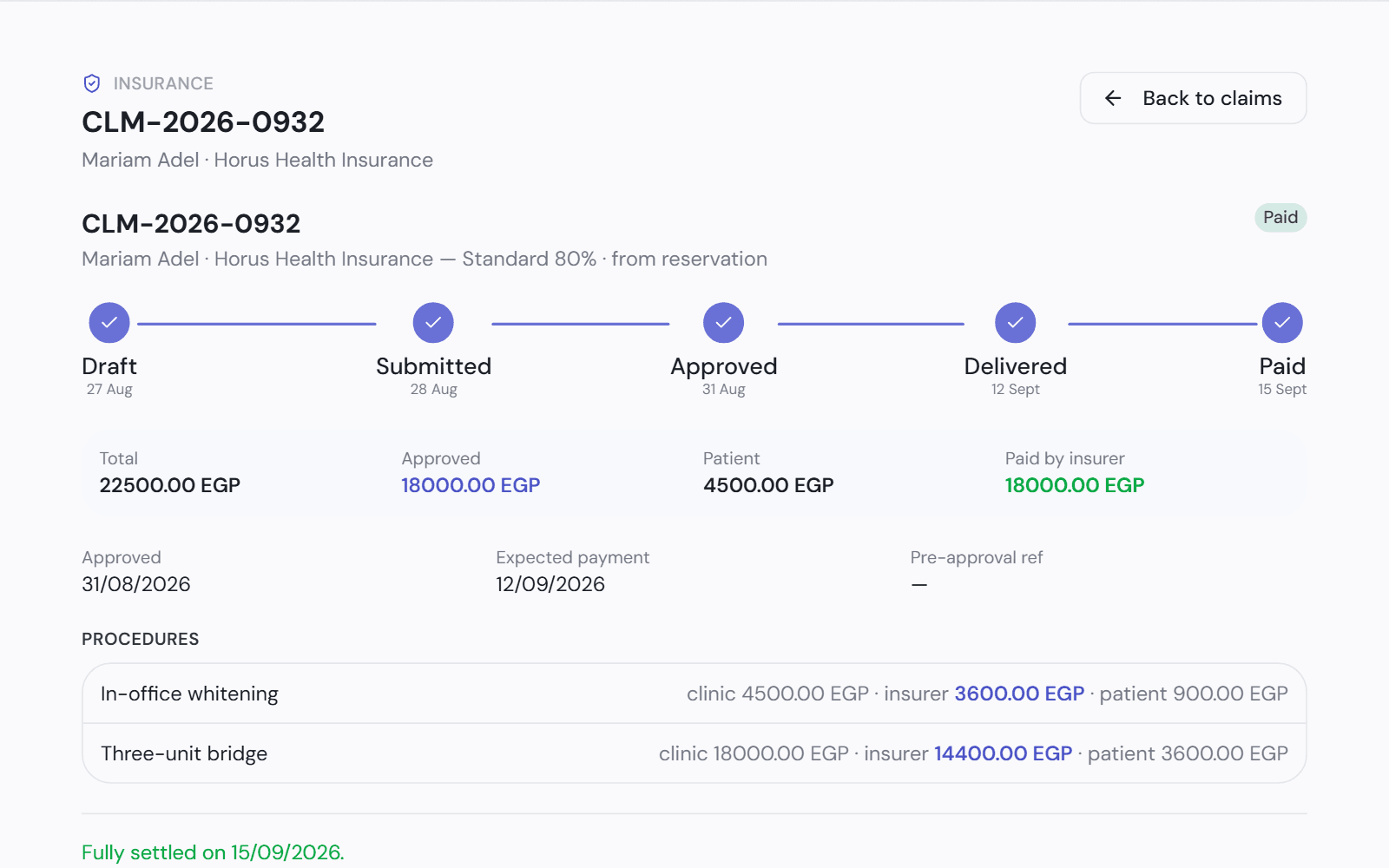
An insurance claim for the patient: its steps from draft to paid, the total with the insurer-approved and patient amounts, and each procedure split into clinic price, insurer share and patient share.

Step 6 of 7 · Invoice

The invoice splits the cost between the patient and the insurer.

Prices come from your price list or the insurer's. The front desk collects the patient's share today, and the claim tracks the rest until the insurer pays.

  1. Claim status, from submitted to paid
  2. The total, the insurer's share and the patient's share
  3. The same split for each procedure

Step 7 of 7 · The numbers

One treatment recorded. Six numbers updated.

Most clinic software can't do this, because the chair and the accounts aren't connected.

  1. Material costtaken from stock at the price you paid
  2. Profit on the treatmentafter materials and lab
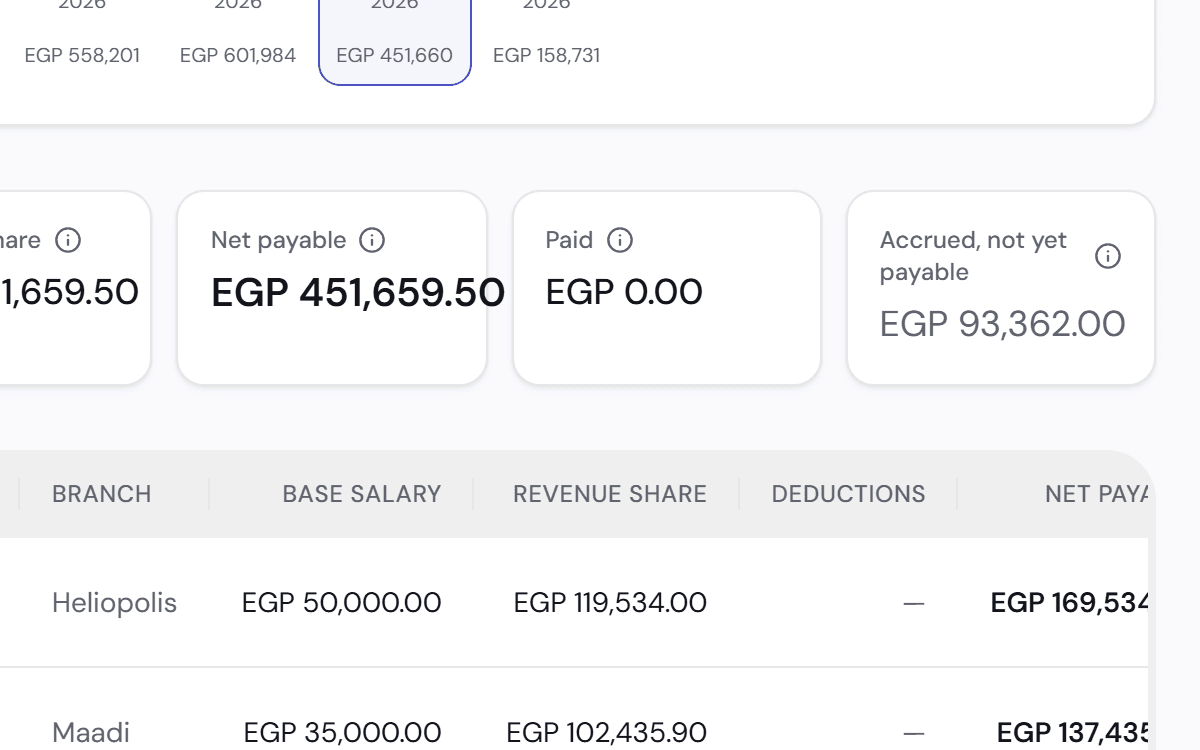
  3. The dentist's commissionrecorded now, paid when the clinic is paid
  4. The insurance claimadded to the insurer's monthly batch
  5. Profit & lossrevenue and cost on the treatment day
  6. Money owedwhat the patient and the insurer still owe you
A clinic's booking page on a phone: pick a day, a notice that this branch works by turn with no fixed times, and two shifts each showing the patient's turn number and estimated time.
The appointment requests page: six online bookings waiting for a decision, a notice about requests that are out of time or nearly so, tabs for each status, and a table of requests, each with Accept and Decline buttons.
The reception queue at 11:20: three patients waiting with their arrival times and minutes waited, one of them a walk-in, each with a Call Patient button.
A zirconia crown lab case: due two days after the fitting appointment, above a warning that reads This will not arrive in time — chase the lab or move the appointment.
An insurance claim for the patient: its steps from draft to paid, the total with the insurer-approved and patient amounts, and each procedure split into clinic price, insurer share and patient share.

Profit per treatment

See what every treatment really earns.

Each treatment's profit is its price minus the materials and lab work used. If a cost is missing, the report tells you instead of showing it as pure profit.

67%

of treatments have their material cost recorded

From the demo clinic. Your report shows your own numbers.

Close-up of the coverage panel: material cost recorded on 82% of treatments, and a warning that margin is overstated on the rest.
  • It tells you when data is missing

    The report shows how many treatments have no material cost recorded.

    Margin is overstated on the 32.6% of cases with no material cost recorded — those cases look like pure profit.

  • It warns you about odd results

    When the same treatment shows very different profit from case to case, it tells you to check the records before you change a price.

  • It ranks treatments by what you keep

    Sorted by total profit, not percentage. A treatment you do every week can earn more than a high-margin one you do twice a month.

Finance

Plain words for you. Proper statements for your accountant.

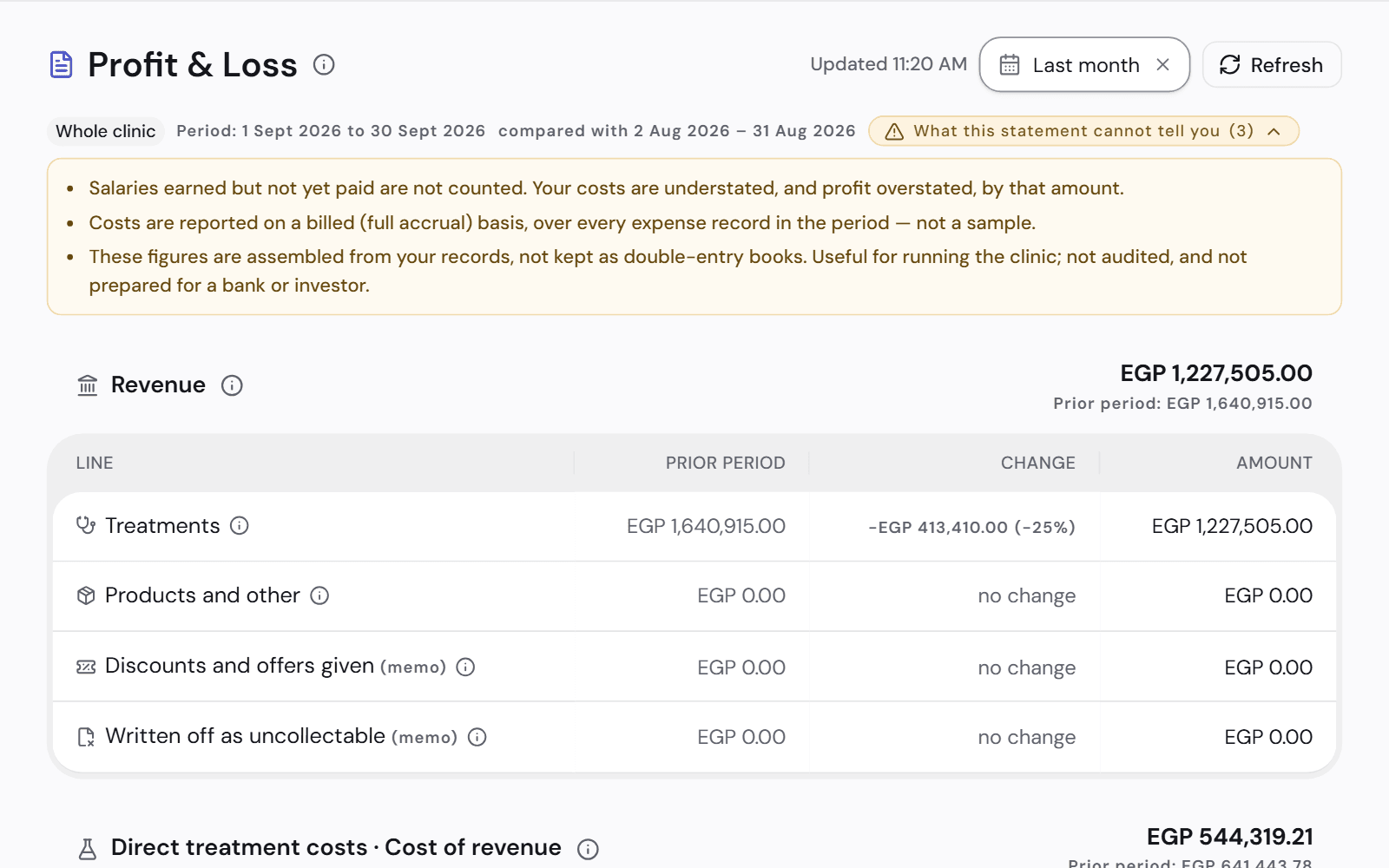
The overview uses plain words. Behind it are the reports your accountant needs.

What you see

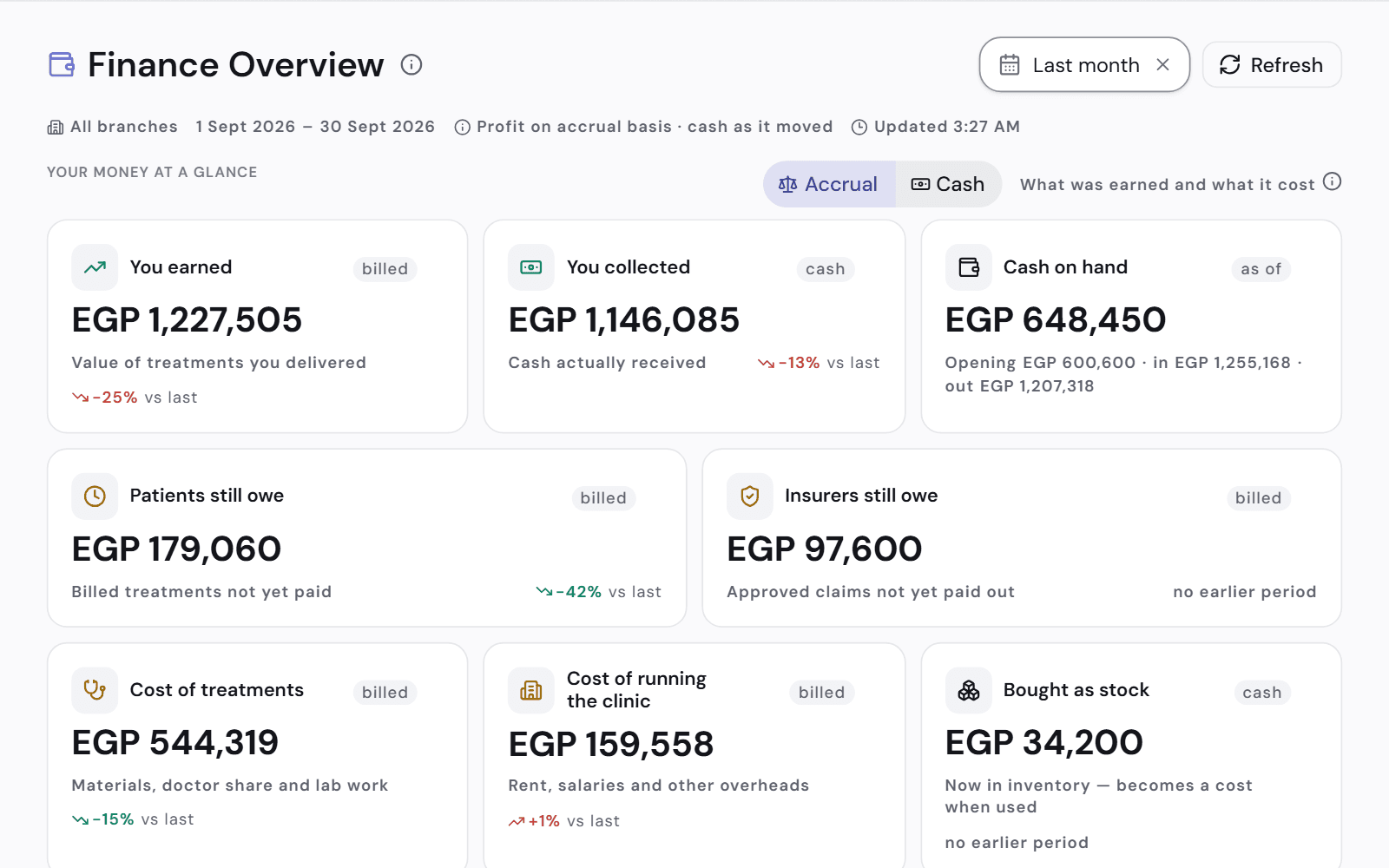
You earned
the treatment you delivered this month
You collected
the money that reached your accounts
Patients still owe
billed, not yet paid
Insurers still owe
treated, waiting for the insurer to pay

What your accountant gets

  • Profit & loss, by month and by branch
  • The monthly financial report
  • Money owed to you, by age
  • Patient statements
  • Profit per treatment
  • Export to CSV
The finance overview: what the clinic earned, what it collected, what patients still owe and what insurers still owe this month.

Also included

Made for how dental clinics actually run.

Everything here is in the product today.

  • Full Arabic and English

    Every screen, and every printed invoice and prescription. Each team member picks their own language.

  • Appointments or a queue

    Book by time, or let patients take a turn number. Each branch chooses.

  • Your own booking link

    Share it on WhatsApp or Instagram. Your front desk accepts each request.

  • Insurance claims

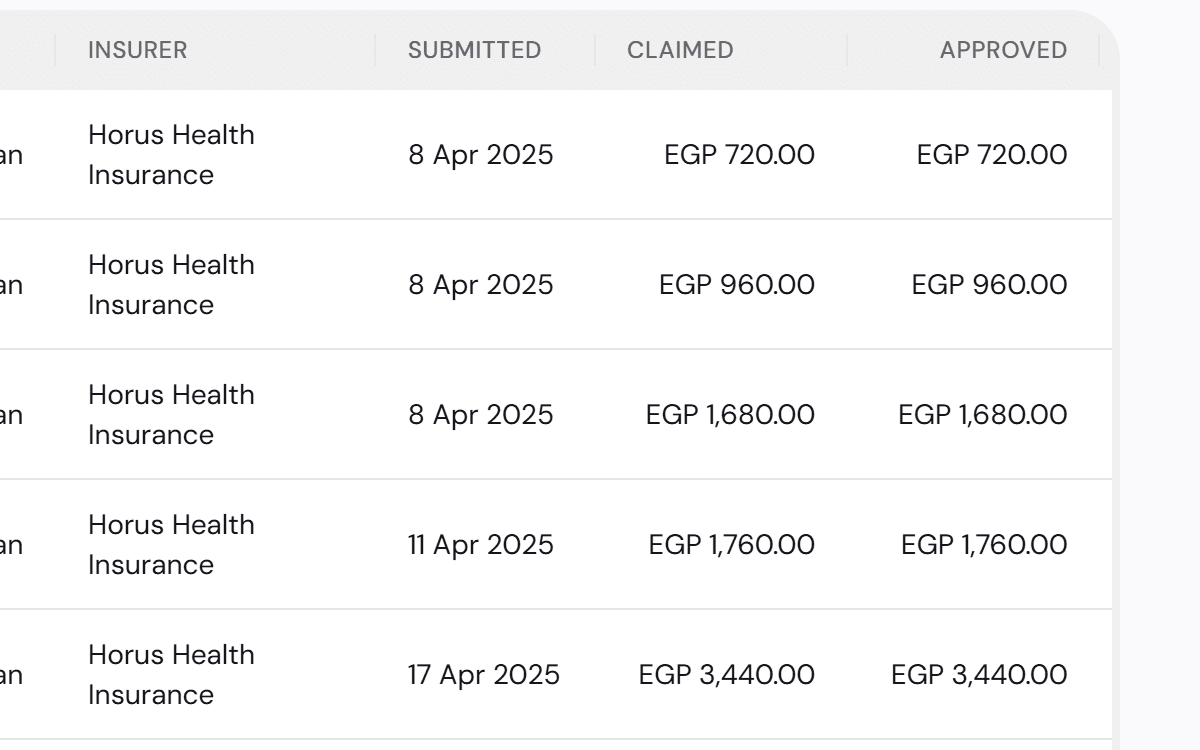
    A claim for each visit, a monthly batch for each insurer, and payments matched to the batch.

  • More than one currency

    Each branch works in its own currency. Clinic totals are converted at a rate you can see.

  • Works on any device

    Use it in the browser on a computer, a tablet or a phone. Nothing to install.

  • Import your old data

    Bring patients, income and expenses from Excel or CSV. You review every row before it is saved.

  • X-rays on the patient's file

    A desktop importer puts each new X-ray on the right patient.

The DentaCares dashboard in Arabic on a phone, showing the reception queue.

A page for your patients

A web page where patients find your clinic and book.

Every clinic gets one. Patients see your cases, your team and your hours, then book online.

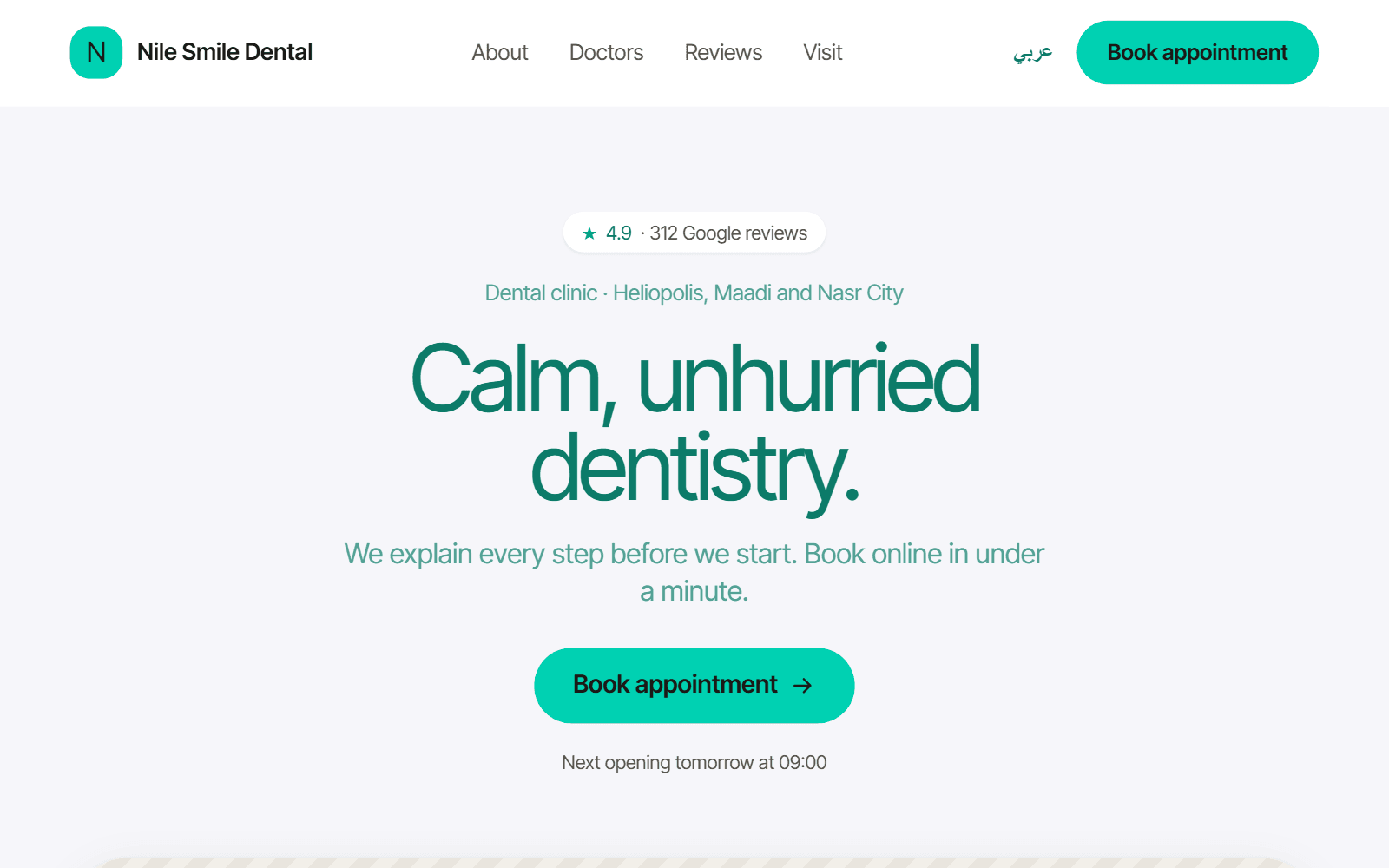
A demo clinic's web page as a patient sees it: the clinic's name, its Google rating, a headline and a Book appointment button.
  • Patients see your results

    Before and after photos of your cases.

  • Patients get to know the clinic

    About the clinic, the team, and reviews from other patients.

  • Patients find you

    Your branches, opening hours, address and phone.

  • Patients book online

    One button takes them to booking, in Arabic or English.

Built by a dentist

It handles what really happens in a clinic.

Six things it does that come from working at the chair.

  • Warns you when the lab will be late

    If a crown would arrive after the patient's fitting appointment, you are told in advance.

  • Pays commission only on collected money

    A dentist's share isn't paid out until the patient or the insurer has paid the clinic.

  • Checks prescriptions against allergies

    Every prescription is checked against the allergies on the patient's file. It does not check drug interactions, and says so.

  • Collects the deposit before treatment

    If you take booking deposits, a visit can't start until the deposit is paid.

  • Returns the deposit when the clinic cancels

    The patient gets a refund or a credit. The clinic can't keep it.

  • Tracks remakes separately

    A remade crown is a new lab case with its own delivery date.

Dr. Amr Mohamed, founder of DentaCares

I practised dentistry for five years before moving into software. DentaCares is the system I wished my own clinic had.

Dr. Amr Mohamed

Founder · dentist, then software engineer

Pricing

Plans in Egyptian pounds.Plans in US dollars.

Pay monthly. Cancel any time.

Billing period
  • Starter

    A solo dentist or a small clinic getting started

    800640EGP · per month2923USD · per month
    • 1 branch, 1 room
    • Appointments & patient records
    • Invoicing & payments
    • Online booking page
    • Arabic & English
    • Email support
    Book a demo
  • Enterprise

    A clinic group that needs a tailored setup

    Custom

    Priced on your setup

    Everything in Professional, plus:

    • Unlimited branches & rooms
    • Advanced reports & data exports
    • Custom integrations
    • A dedicated account manager
    • On-site onboarding
    Talk to us

Early subscribers keep their price. Any future increase applies only to new sign-ups.

FAQ

Common questions.

We have years of paper files and Excel sheets. Do we start from zero?

No. You can import patients, income and expenses from Excel or CSV, and we help you do it. Paper files can be scanned onto each patient's file at their next visit.

How long does it take to get started?

Your account is ready the same day. Reception needs about an hour of training. Most clinics run their front desk on it within the first week, and we set up finance and payroll with you in the first month.

Who owns the data?

You do. You can export statements, transactions and reports to CSV at any time. If you leave, you take your data with you, with no exit fee.

Is there a contract?

No. You pay monthly and can cancel any time.

Does it work in Arabic?

Yes. It works in Arabic, right to left, including printed invoices and prescriptions. Each team member picks their own language.

Book a demo

See it on a clinic like yours.

A 30-minute video call, in Arabic or English. We show you a demo clinic full of data and answer your questions.

  1. Pick a time below.
  2. You get an email and a calendar invite right away.
  3. We send the call link within one business day.

Pick a demo time

Loading available times…

Nothing is booked until you press Confirm on the last step.