
Queue and waiting room
Know who is waiting, and for how long.
Reception checks the patient in with one click. The patient moves to the dentist's queue, and onto the waiting-room screen if you use one.
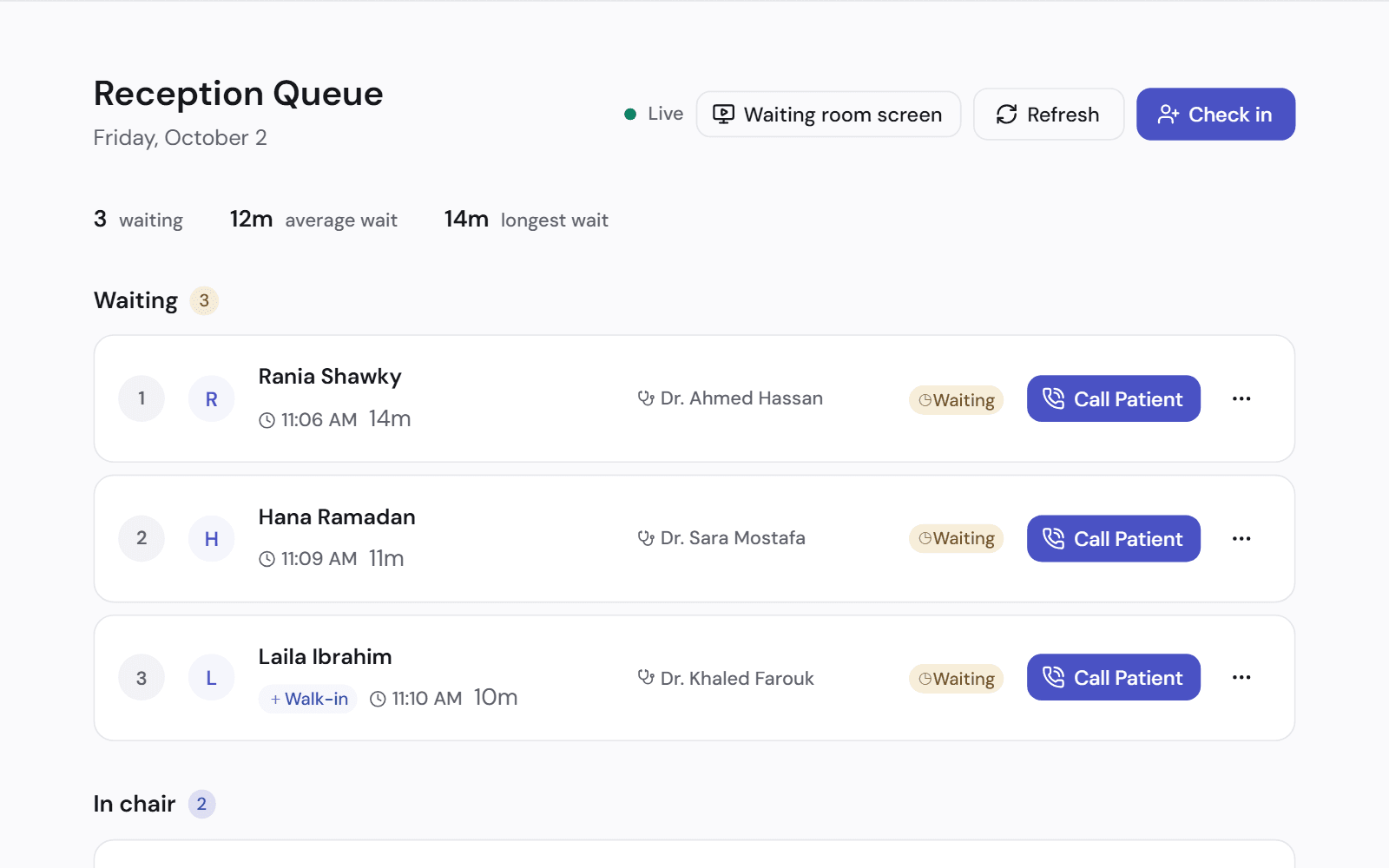
One list for reception
Booked patients and walk-ins join the same queue, with the time each one arrived.
- Check in today's booked patients in one click
- Add a walk-in to the queue
- A patient who has waited longer than usual is marked
- Mark a no-show, or take a patient out of the queue
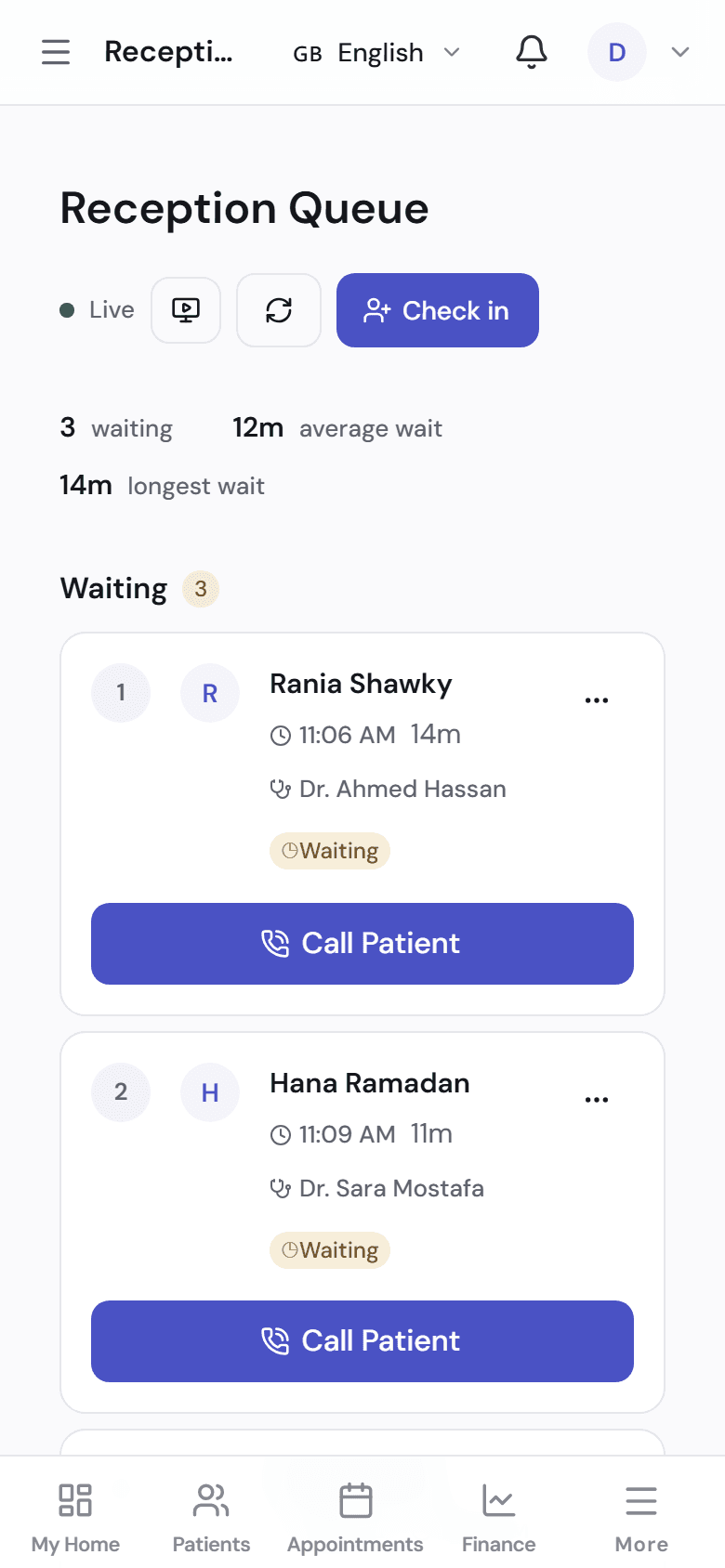
- Works in the browser on a phone or a tablet
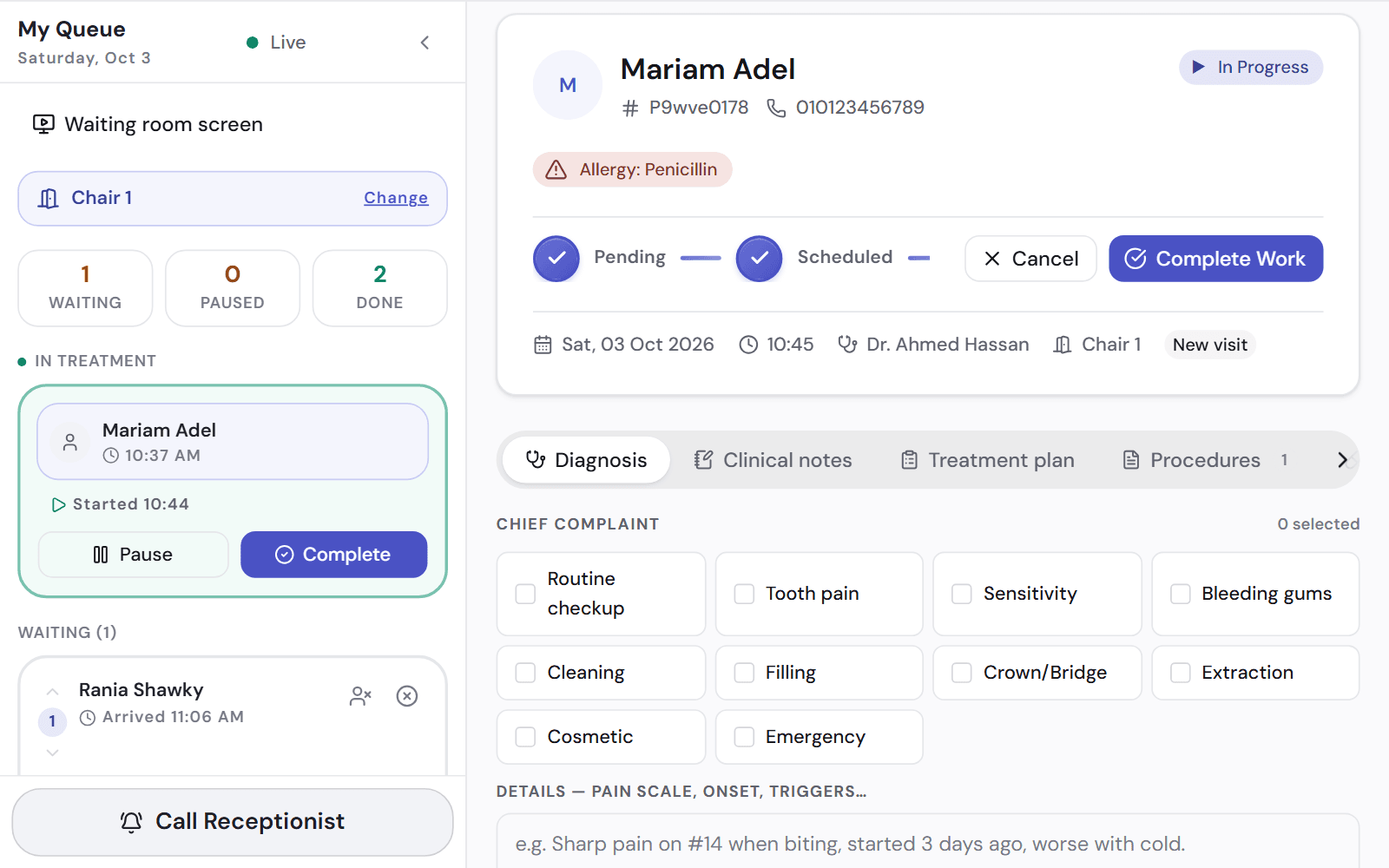
The dentist sees who is next
Each dentist has their own queue. They look at the next patient's details, then call them in.
- Call the next patient from the dentist's screen
- Pause a visit, for an X-ray for example, and come back to it
- Both screens update together
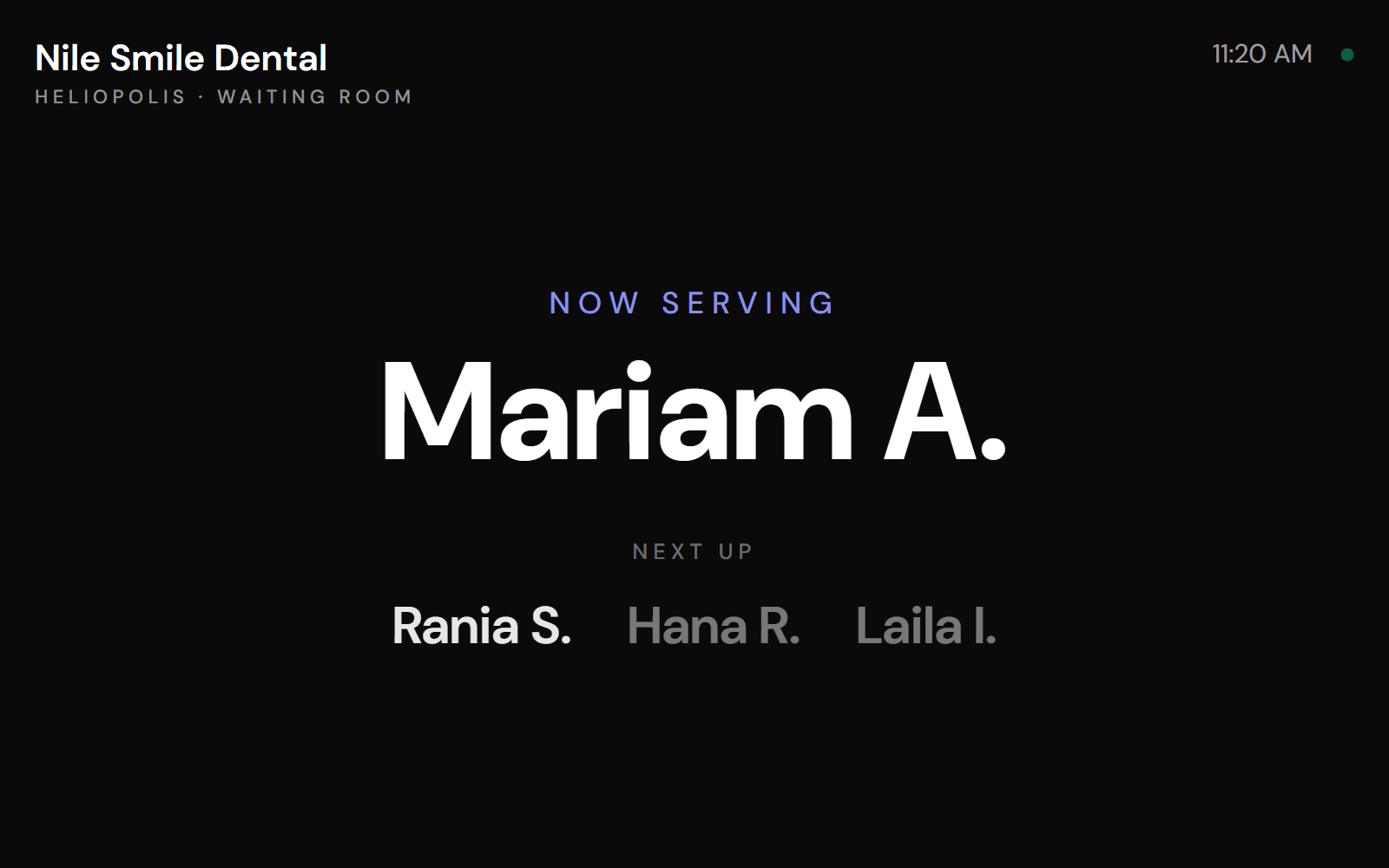
A screen for the waiting room
Open the waiting-room display on a TV so patients can see who is being served and who is next.
- A full-screen display for each branch
- It says so when it loses its connection, so nobody reads an old list
- It opens from the queue page, with nothing to install
Works with
Appointments
A calendar for every room and dentist, with a waitlist and recalls.
See how it worksOnline booking
Patients book from their phone, by time or by turn. Your front desk accepts each request.
See how it worksDental chart
Record findings and treatments on each tooth, with the patient's allergies in view.
See how it works
See it on a clinic like yours.
A 30-minute video call, in Arabic or English, on a demo clinic full of data.