Launch offer for the first 10 clinics: 30% off your first year.See the terms

How it works

From the booking to your accounts, in three steps.

Here's the short version. Below it, follow one patient through a real visit, screen by screen.

  1. Patients book. Your receptionist confirms.

    Patients book online or by phone. Your receptionist reviews each request, puts it on the calendar and checks the patient in.

    See this step
  2. The dentist records the treatment.

    On the dental chart, with the patient's allergies in view. Materials come out of stock, and the lab case opens from the same record.

    See this step
  3. Your numbers update themselves.

    The invoice, the insurer's share, the dentist's commission and your profit reports all follow from that one record.

    See this step

Follow one patient through one visit

Seven steps, with the real screens.

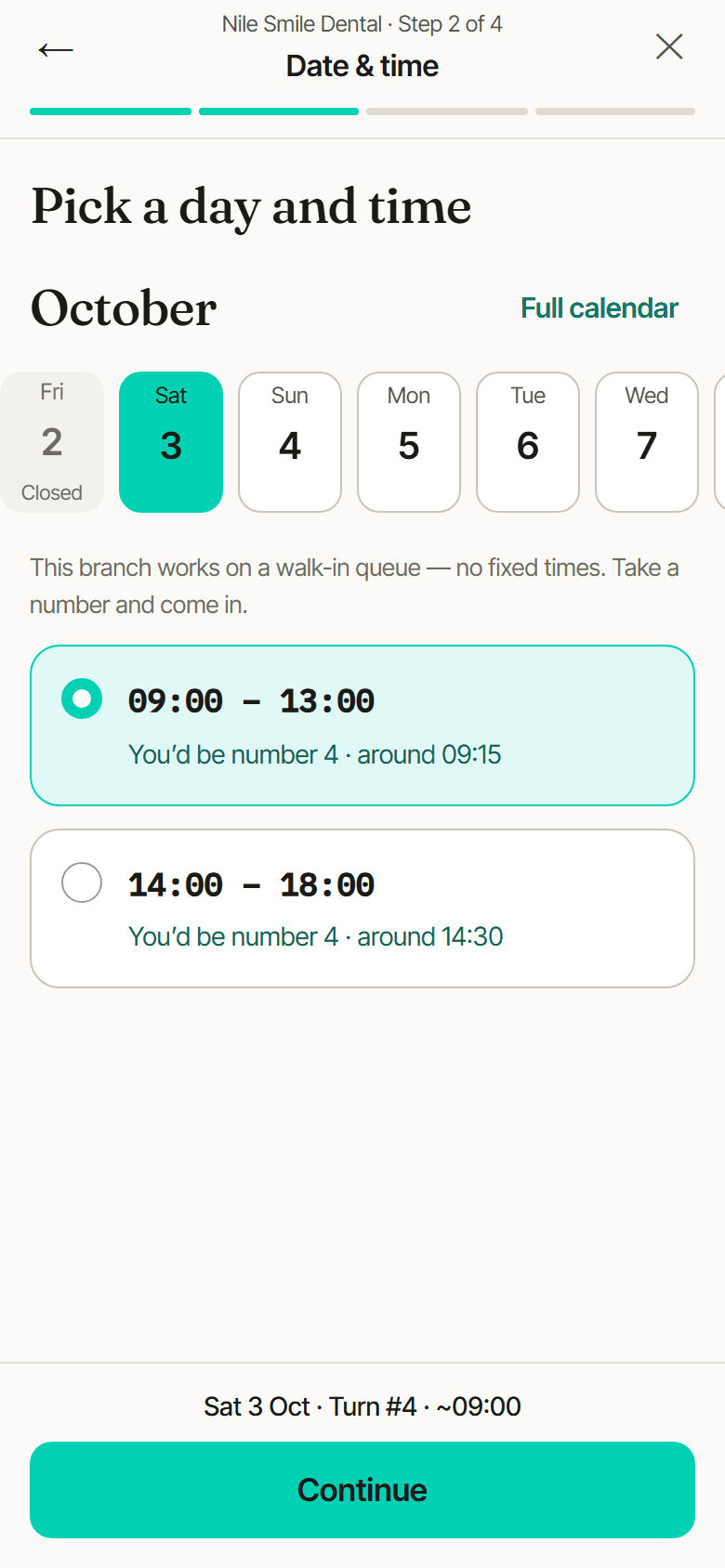
A clinic's booking page on a phone: pick a day, a notice that this branch works by turn with no fixed times, and two shifts each showing the patient's turn number and estimated time.

Step 1 of 7 · Booking

The patient books from their phone.

Your clinic gets its own booking page (booking.dentacares.com/your-clinic, or your own domain), in Arabic and English. The patient picks a branch, then a time or a turn in the queue.

This branch works on a walk-in queue — no fixed times. Take a number and come in.

  1. Your clinic's name, not ours
  2. Works with turns or fixed times
  3. The patient sees the turn number and time before confirming
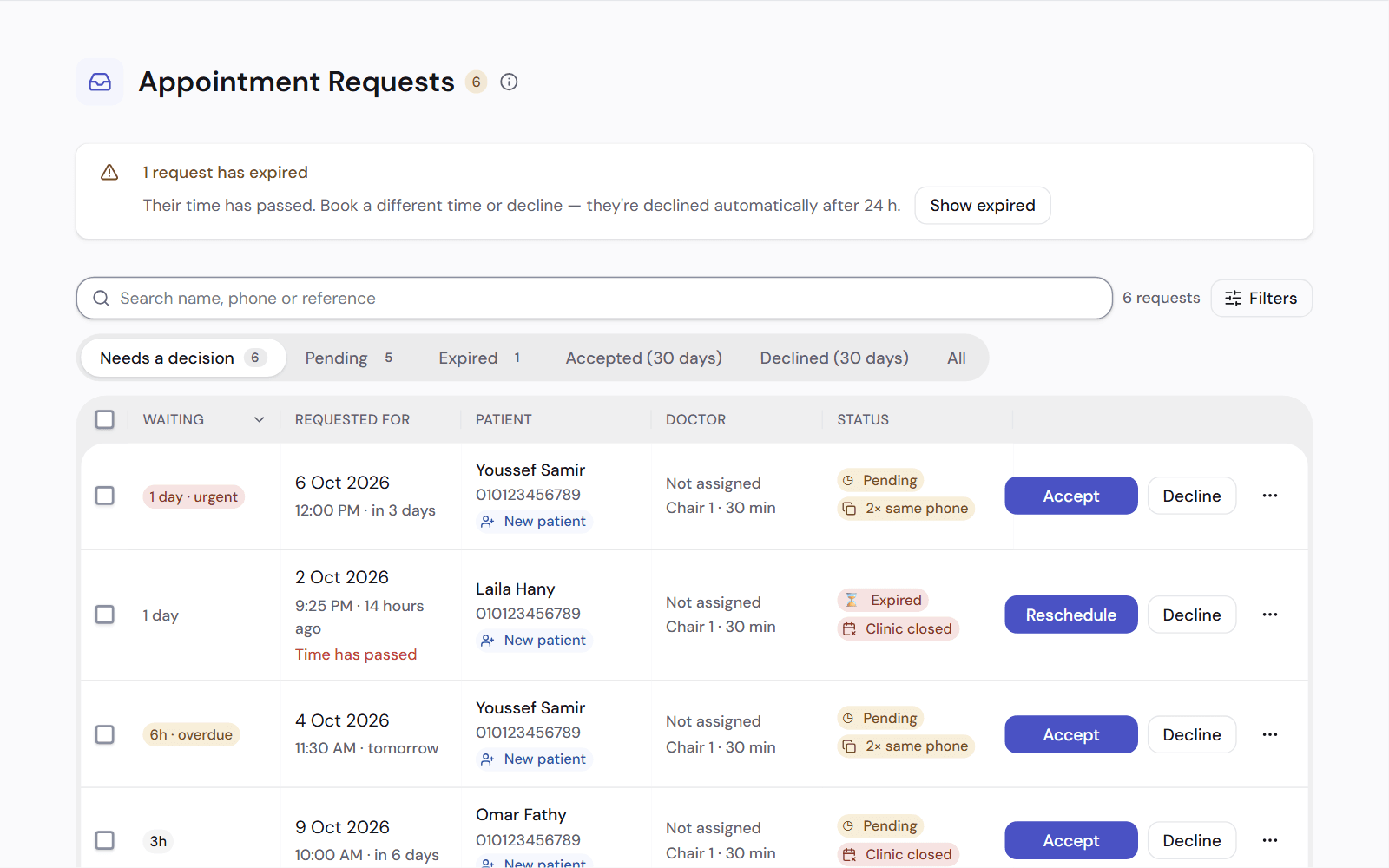
The appointment requests page: six online bookings waiting for a decision, a notice about requests that are out of time or nearly so, tabs for each status, and a table of requests, each with Accept and Decline buttons.

Step 2 of 7 · Request

Your receptionist reviews the booking.

Online requests wait until someone accepts them, so nothing is booked without you knowing. Once accepted, the visit goes on the calendar with a room and a dentist.

  1. Nothing is booked automatically
  2. Requests that have waited too long are flagged at the top
  3. Accept or decline each one

Step 3 of 7 · Arrival

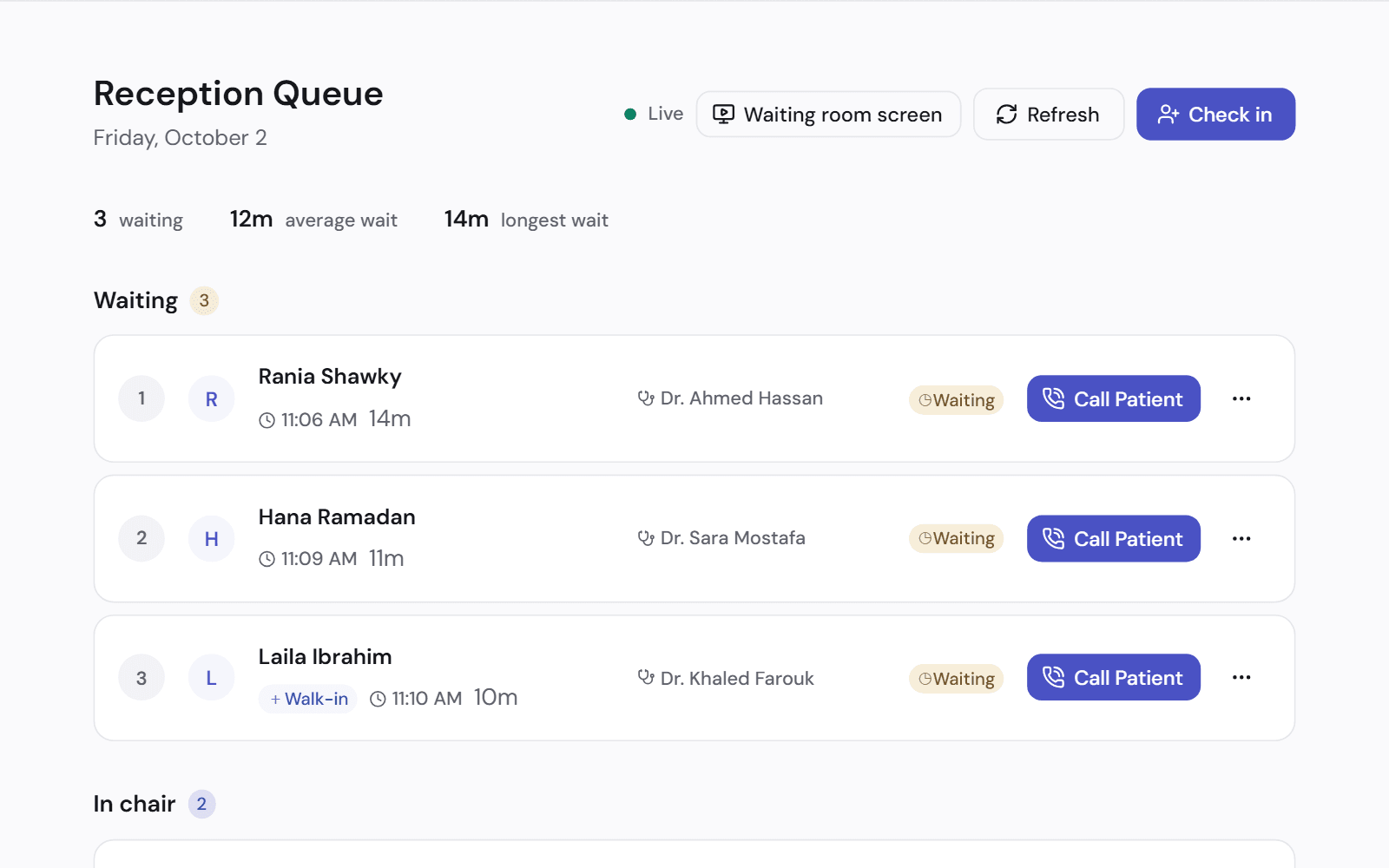
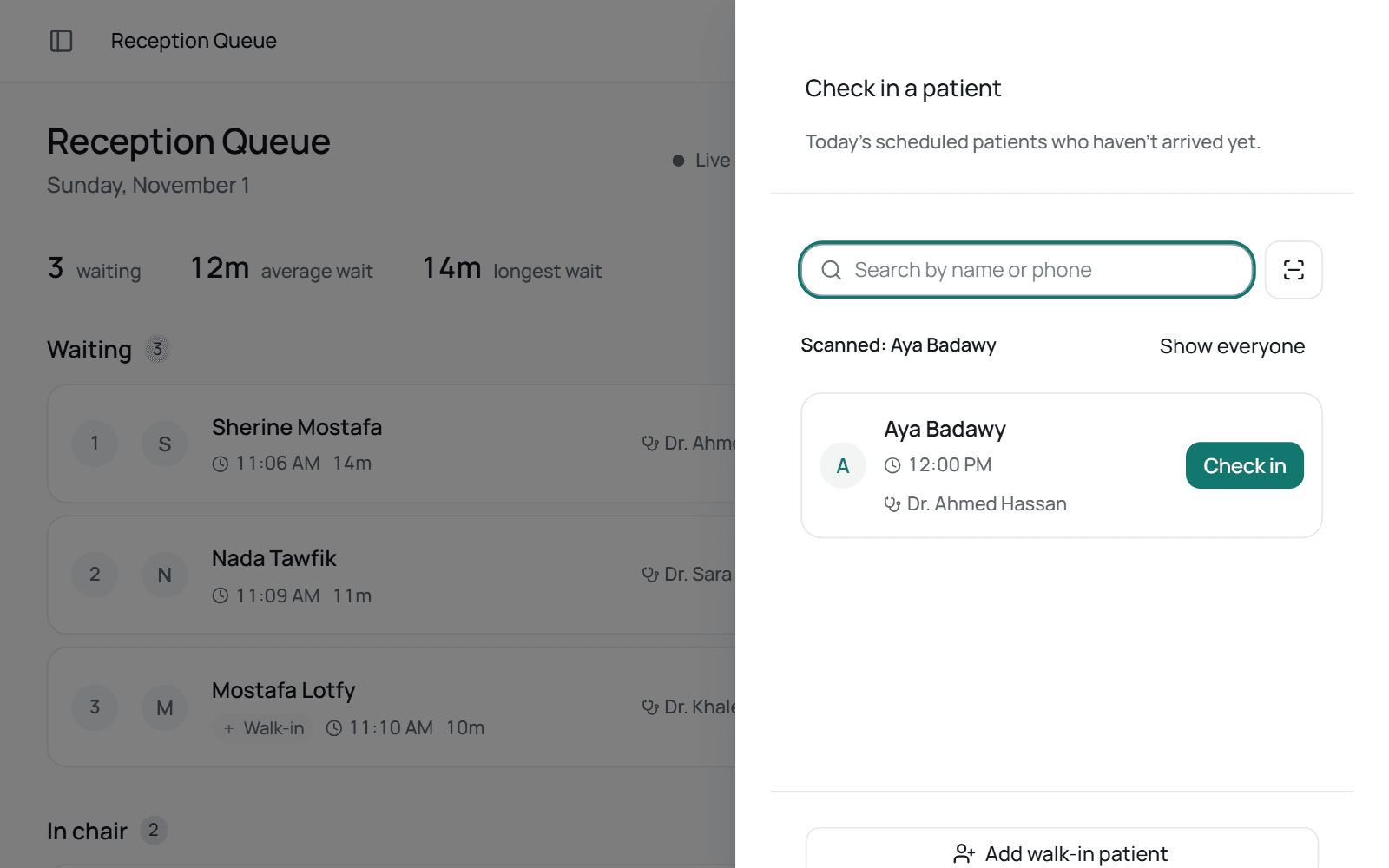
Reception checks the patient in.

Scan the patient's card or search by name. One click moves the patient to the dentist's queue, and onto the waiting-room screen if you use one.

  1. See who is waiting, and for how long
  2. One click sends the patient to the dentist
  3. Walk-ins join the same queue

Step 4 of 7 · Chair

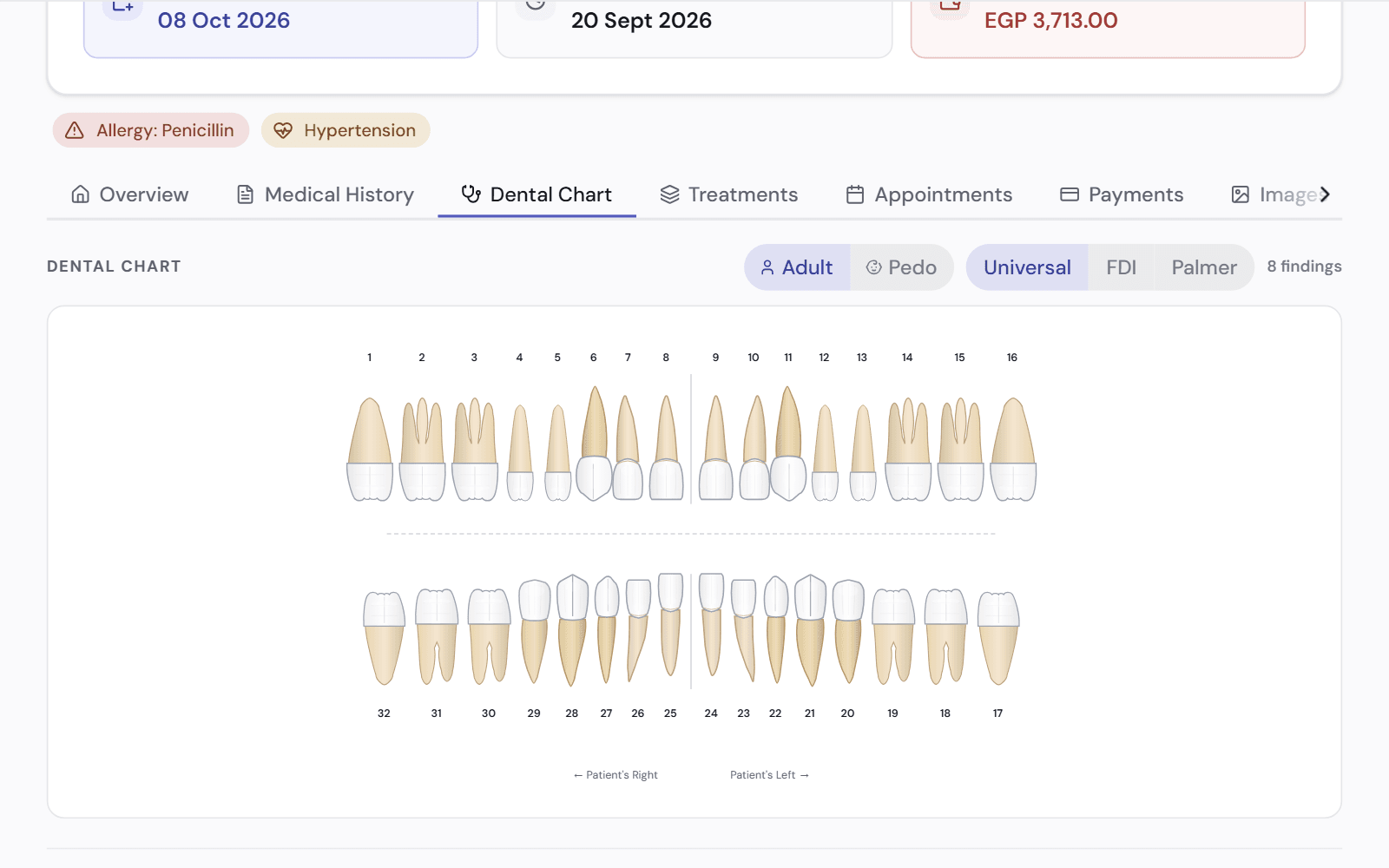
The dentist records the treatment on the tooth.

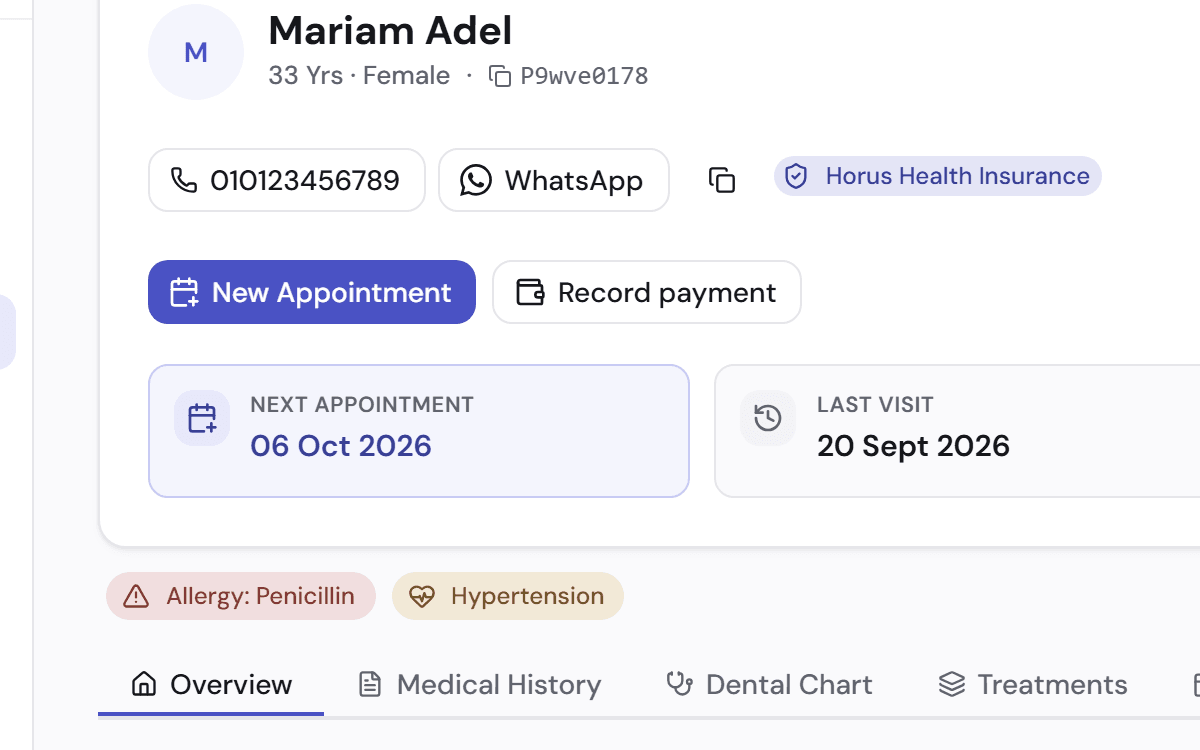
The chart, the procedure and the patient's allergies are on one screen. The materials used come out of stock automatically.

This is the only time anyone types it. Everything after this updates by itself.

  1. Allergy and medical alerts at the top
  2. Findings and procedures on each tooth
  3. FDI, Universal or Palmer numbering
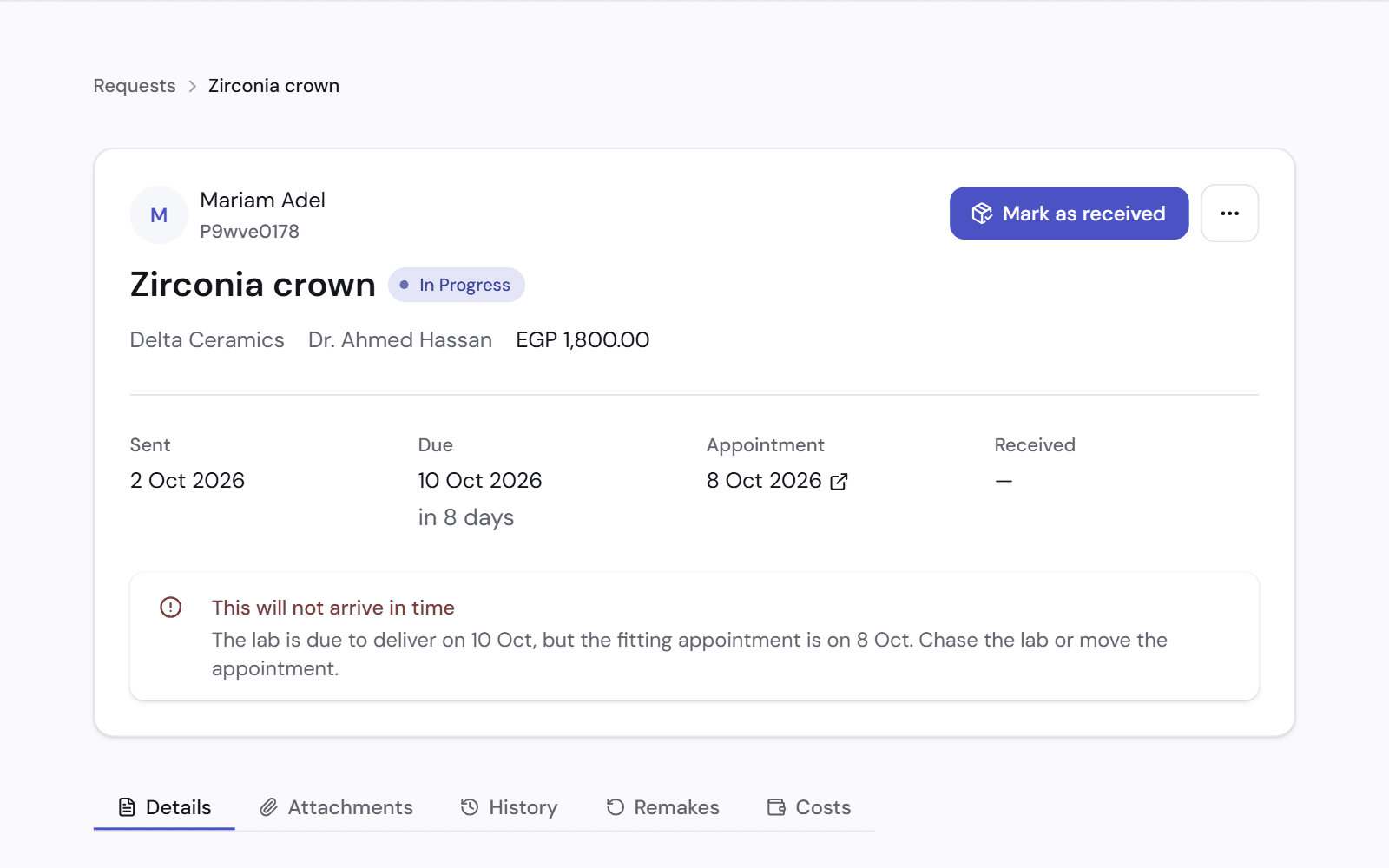
A zirconia crown lab case: due two days after the fitting appointment, above a warning that reads This will not arrive in time — chase the lab or move the appointment.

Step 5 of 7 · Lab

The lab case is checked against the patient's next appointment.

The lab case is created from the procedure, with the tooth and the shade. If the lab will deliver after the patient's fitting appointment, you are warned now, not on the day.

This will not arrive in time

  1. Lab due date compared with the fitting date
  2. Chase the lab, or move the appointment
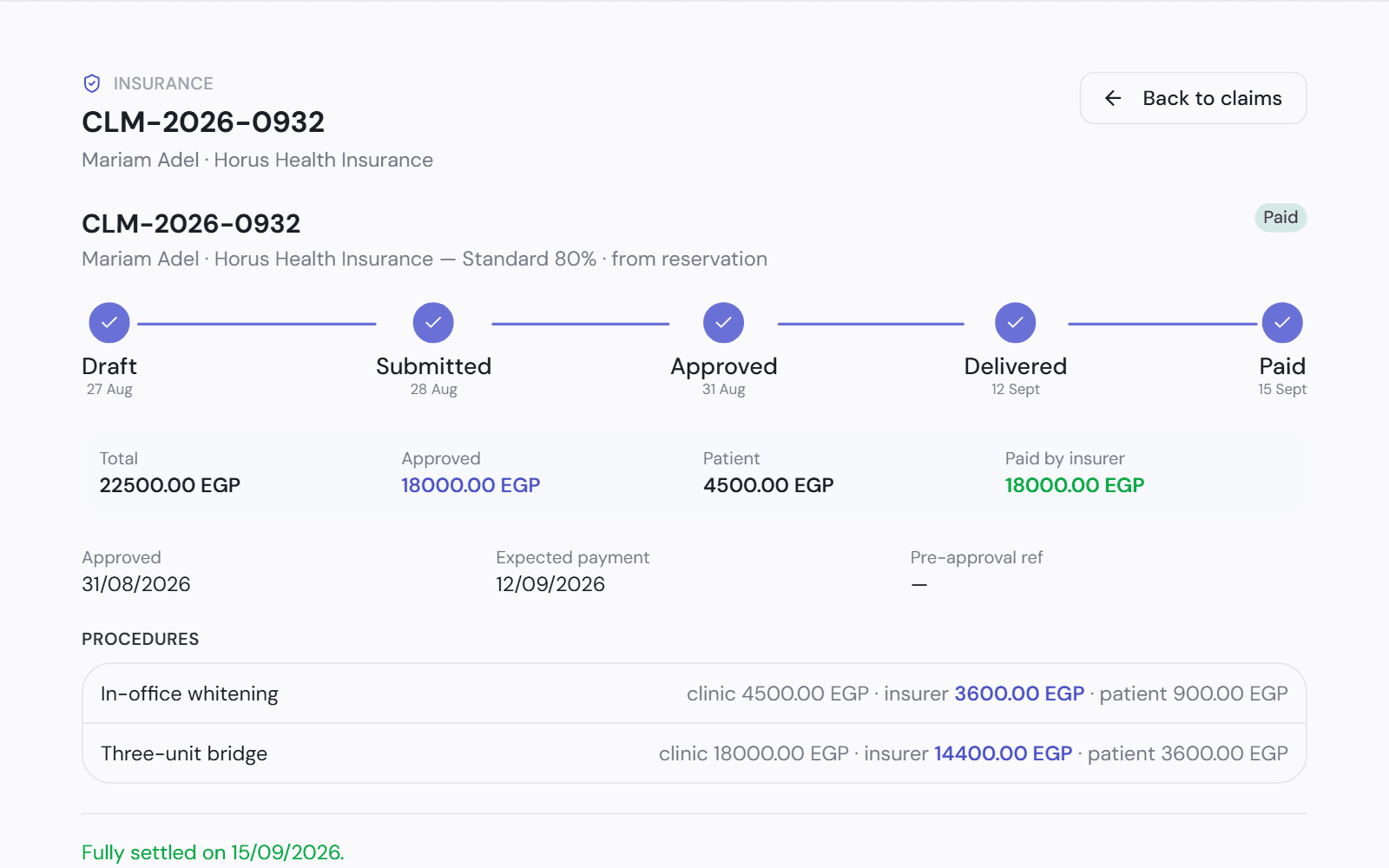
An insurance claim for the patient: its steps from draft to paid, the total with the insurer-approved and patient amounts, and each procedure split into clinic price, insurer share and patient share.

Step 6 of 7 · Invoice

The invoice splits the cost between the patient and the insurer.

Prices come from your price list or the insurer's. The front desk collects the patient's share today, and the claim tracks the rest until the insurer pays.

  1. Claim status, from submitted to paid
  2. The total, the insurer's share and the patient's share
  3. The same split for each procedure

Step 7 of 7 · The numbers

One record. Six numbers updated.

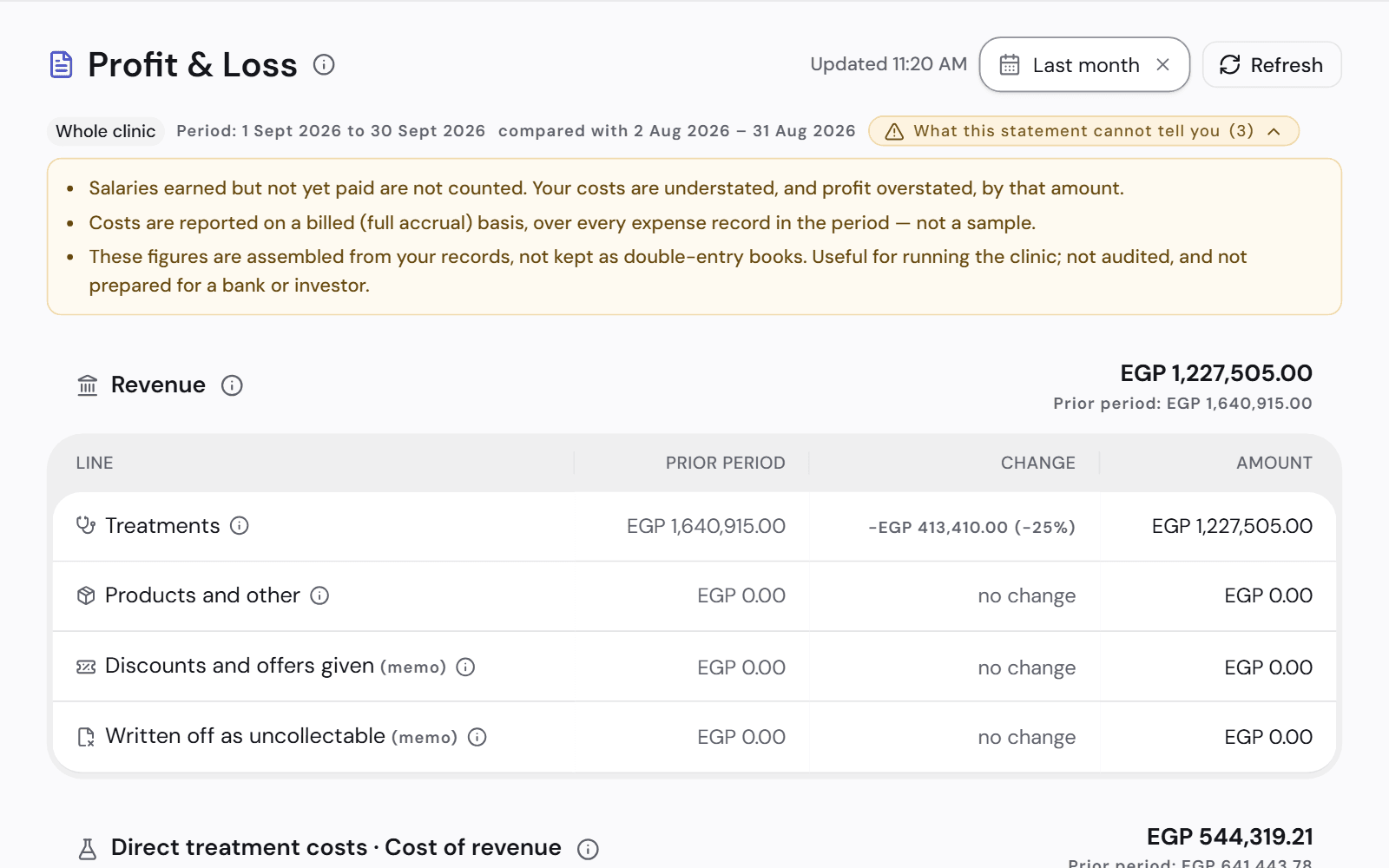
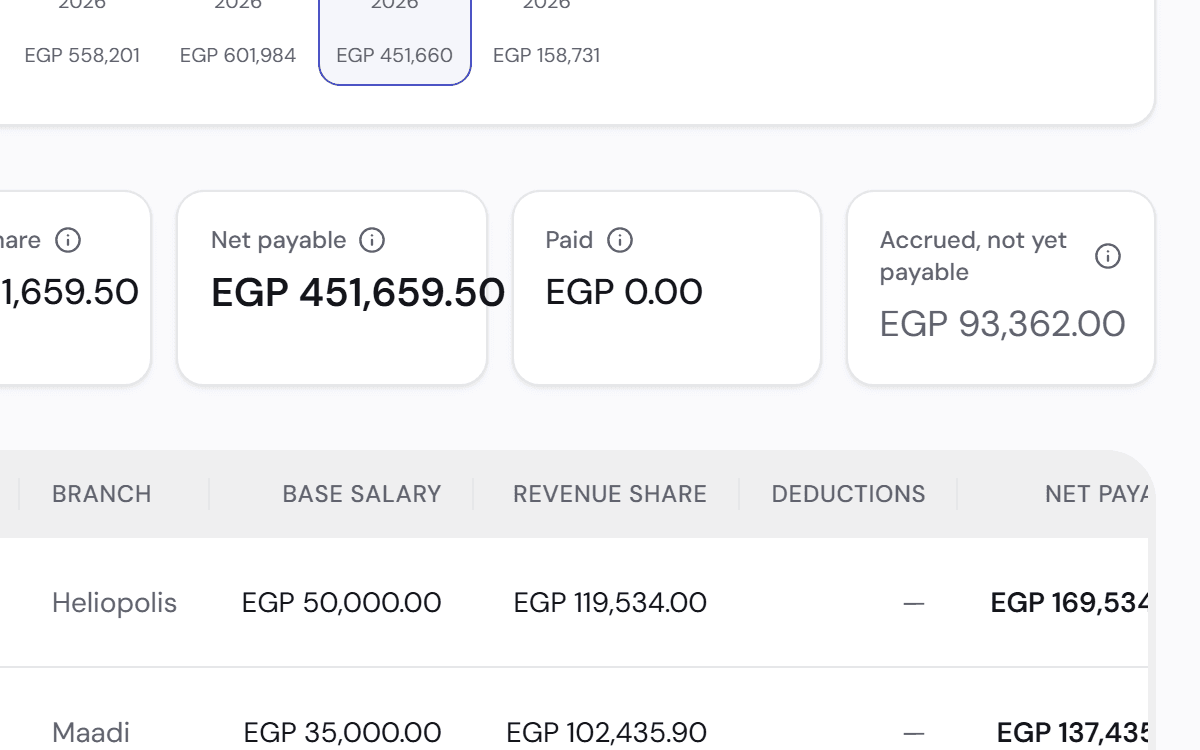
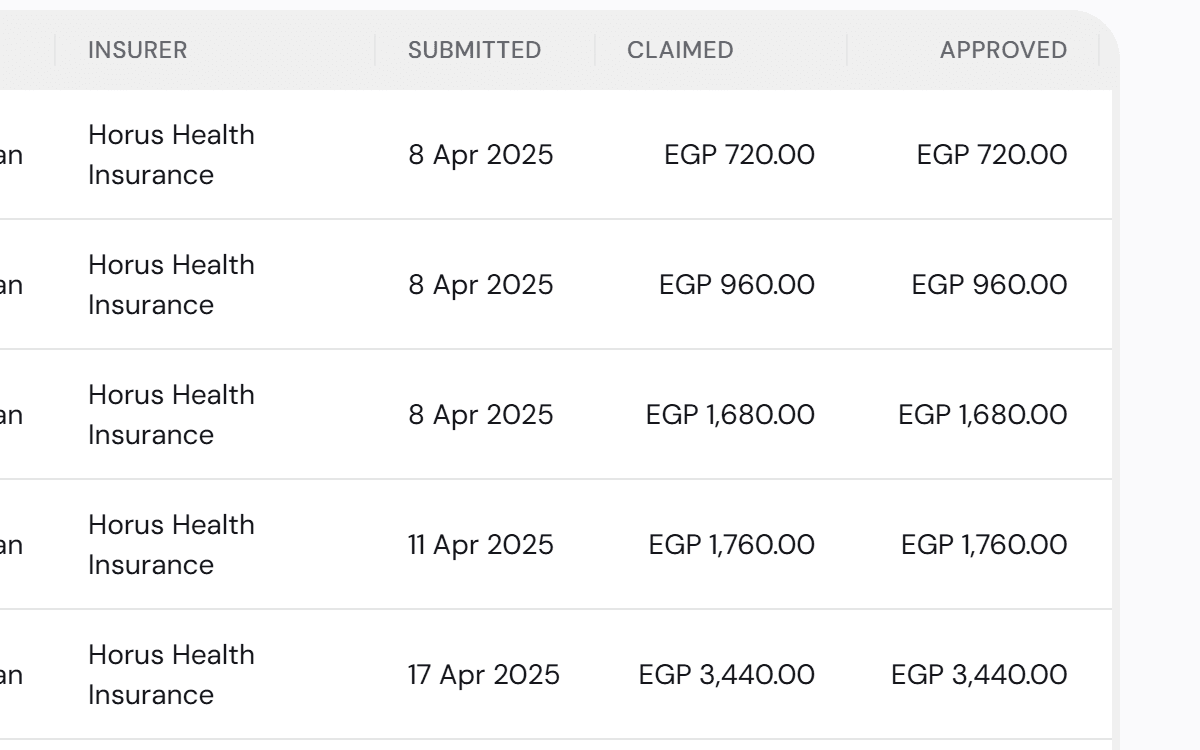
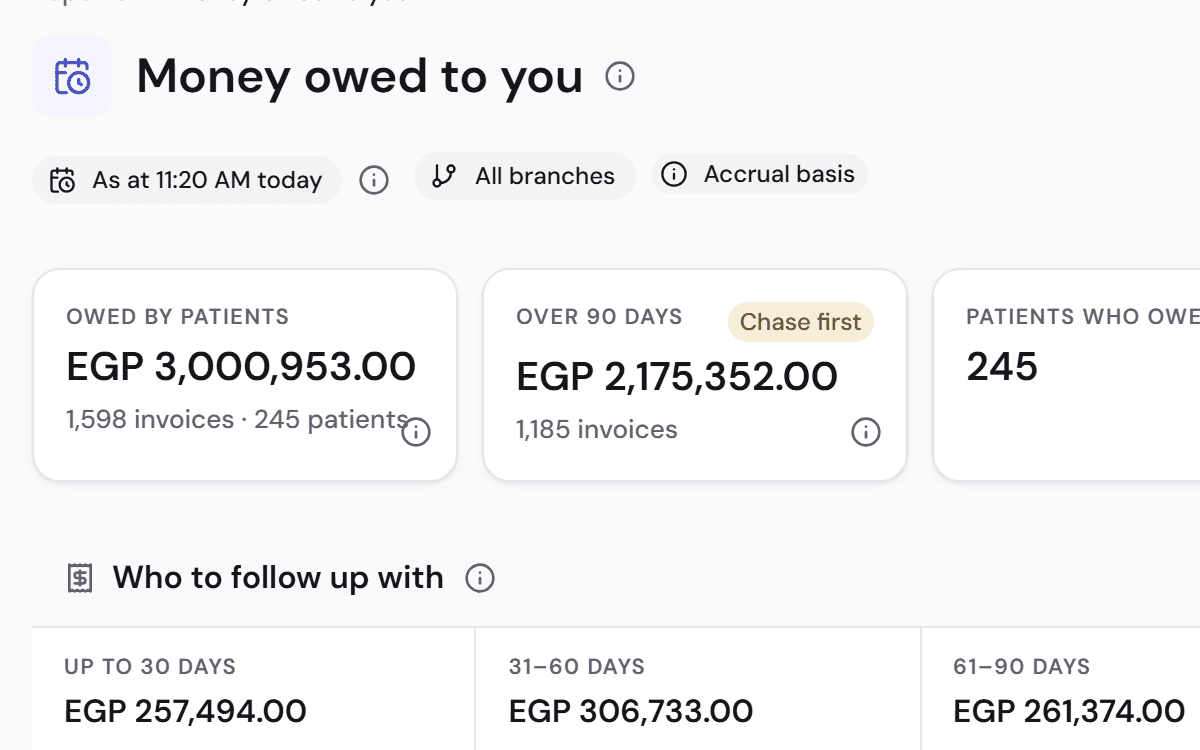
Because the chair and the accounts are in the same system, that one record updates all six of these.

  1. Material costtaken from stock at the price you paid
  2. Profit on the treatmentafter materials, lab and commission
  3. The dentist's commissionrecorded now, paid when the clinic is paid
  4. The insurance claimadded to the insurer's monthly batch
  5. Profit & lossrevenue and cost on the treatment day
  6. Money owedwhat the patient and the insurer still owe you
A clinic's booking page on a phone: pick a day, a notice that this branch works by turn with no fixed times, and two shifts each showing the patient's turn number and estimated time.
The appointment requests page: six online bookings waiting for a decision, a notice about requests that are out of time or nearly so, tabs for each status, and a table of requests, each with Accept and Decline buttons.
A zirconia crown lab case: due two days after the fitting appointment, above a warning that reads This will not arrive in time — chase the lab or move the appointment.
An insurance claim for the patient: its steps from draft to paid, the total with the insurer-approved and patient amounts, and each procedure split into clinic price, insurer share and patient share.

See it on a clinic like yours.

A 30-minute video call, in Arabic or English, on a demo clinic full of data.

Book a demo